Bookshelf speakers are an important addition to home theater. They can be either powered or passive. Klipsch is one of the most trustworthy brands that manufactures home theater equipment at different price point. Most of the models fall within the affordable price range. They differ in size as well so in case of space limitations, pick one of the Klipsch small bookshelf speakers.
They are well known of horn loaded technology and Cerametallic woofers. They manufacture the drivers to better efficiency, control, accuracy, and dynamics. They always design in such a way to reduce turbulence, distortion, or any coloration. Klipsch targets to get sonic accuracy and with controlled directivity.
Passive speakers are ready to be connected in a theater system. Whether it is an active or powered speakers, they support addition of a subwoofer and strongly suggests having one. Subwoofers will bring out the missing ‘magic’ in the sound. This is the ultimate guide to find the best Klipsch bookshelf speaker for different use case.
Best Klipsch Bookshelf speaker review:
The following will give you the ultimate guide of choosing the best bookshelf speaker based on different criterion.
Best wireless Klipsch bookshelf speaker
In small or congested rooms, wireless Klipsch bookshelf speaker will be an ideal choice.
Klipsch RW-51M
This Klipsch bookshelf review is about the RW-51M model. It is a wireless powered speaker that has 1” tweeter and 5.25” woofer. It has built-in WISA receiver and Class D amplifier. WISA allows you to connect multiple home theaters. It can transmit up to 24 bits at 48kHz/96kHz. The speaker can get as low as 62Hz and extends up to 21kHz. It is a complete package that is futureproof.
You can include RW-34C center channel, two more RW-51M as rear speaker and RW-100SW as the wireless sub. It will be the best wireless Klipsch home theater for use. Sound will be synced through all speakers. Once installation is complete, it can automatically detect 2.0 to 7.1 setups. To improve the sound performance simply convert from 2.0 to 2.1 with a sub.
Audio quality is engaging with impressive clarity and dynamics. Watch movies or shows and enjoy stereo sound. Since they are wireless speakers, setup and installation is much easier. The speaker measures 13.3x7x8.5” and placement is much easier as you can easily move it around.
3.6 Mixed Usages
3.3
Dialogue & Vocal Accuracy:
4
Treble Accuracy:
3.8
Bass Accuracy:
3.6
Imaging & Soundstage:
3.3
Dynamic Range:
Klipsch Reference Wireless RW-51M is a pair of WiSA compatible powered speakers. Music and movies are clear and enjoyable, thanks to the Tractrix Horn technology. The performance is impressive and satisfying. Vocals and instrumental sounds are clear and precise. These speakers have wide soundstage and can deliver room filling sound in compact spaces.
Our Verdict
Klipsch Reference Wireless RW-51M bookshelf speakers show powerful and room filling performance. It has precise highs that do not sound very harsh. They sound lively and can produce impactful sound. For bassheads, an additional subwoofer would be a better option. It is easy to add more speakers to create a wireless system. If you think passive speakers are a hassle, then the RW-51M is best for you.
1 pair of powered speaker, Grilles , self-adhesive rubber feet, User Manual, Warranty, Safety Instructions
User manual:
Yes
Check Prices
Loading...
Klipsch 140-WM
Klipsch 140-WM speaker has 1” tweeter and 4.5” woofer. Similar to RW-51M, it uses WISA wireless technology. The use of Tractrix Horn delivers good imaging and produces the ‘real’ sound. This compact speaker comes with removable grille. it measures 13.1x7.2x11”.
Best powered Klipsch bookshelf speaker
We already mentioned the benefits of powered speakers. Along with saving some bucks, you can save space (of a receiver) and have a cleaner look with less wires. It would be ‘silly’ to predict powered speakers with built-in amps are weaker and the reviews below will tell you why.
Klipsch The Sixes
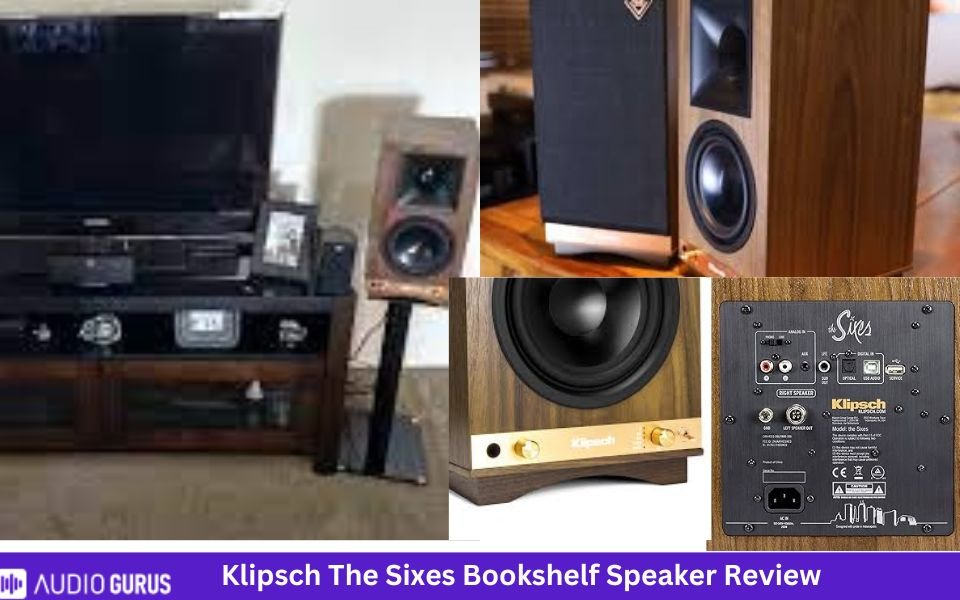
Klipsch The Sixes is an active bookshelf speaker or powered monitor. It is custom engineered to produce maximum output. Ultra-low noise amplifier ensures maximum system performance. With 1” tweeter and 6.5” woofer, it can fill up mid-sized spaces. Use the handy remote control which you can use to turn volume up/down or select inputs.
The following connection ports are available: Bluetooth, 3.5mm, Phono pre-amp / RCA Analog, USB Type B, optical inputs, and a sub out. So, in case you seek more bass, just include a subwoofer. It is one of the best Klipsch bookshelf speaker that is versatile. You can simply so wireless via Bluetooth thus decluttering wires. Since it has built-in phono preamp, enjoy your vinyl records by connecting the turntable. It supports 96kHz / 24-bit decoding, so files from PC will be produced with good resolution.
Sound quality is excellent, and users often select this to replace other speakers like from Edifier. It has a smooth midrange and natural bass. The speaker produces well-balanced, crisp, and clear sound. It can handle all type of music easily. It can get quite loud to produce room-filling audio. With real wood veneer and copper spun knobs, Klipsch The Sixes have a retro look which you want to show off.
4.29 Mixed Usages
4.3
Dialogue & Vocal Accuracy:
4.4
Treble Accuracy:
4.3
Bass Accuracy:
4.3
Imaging & Soundstage:
4.3
Dynamic Range:
Specification
GENERAL:
Speaker Type
Bookshelf Speaker
Number Of Channels
2.0 way speaker
Amplification Type
Passive Speaker (External Amp)
Power Source
AC Powered
DRIVERS
Drive Unit
2x2
Tweeter Type
Titanium Tweeter
Tweeter Size (inches)
1
Midrange Size (inches)
N/A
Midrange Type
N/A
Woofer Size (inches)
6.5
Woofer Type
long-throw woofer
Other
Specs
Power Range
100W rms
Sensitivity
N/A
Impedance
N/A
Frequency Range
40Hz ~20kHz @ -3dB
Crossover Frequencies
N/A
CONNECTIVITY:
Speaker Wire Input:
N/A
Speaker Level Input
N/A
Line Level Input
N/A
Digital Input (Optical)
Yes
Digital Input (Coaxial)
N/A
RCA Input
Yes
3.5mm Stereo Analog Input
Yes
Aux Input
N/A
Bi-amp Input:
N/A
HDMI Input
N/A
USB Port
Yes
Subwoofer Output
Yes
Wireless Features
Bluetooth
Yes
Wi-Fi
N/A
Other
Connector:
Connector Type
N/A
Compatible Connector Types
N/A
Speaker Wire Compatibility
N/A
Audio Quality ( Tested )
Bass Accuracy:
Deep and tight bass
Dialogue & Vocal Accuracy:
Clear and loud vocals
Treble Accuracy
Good highs
Imaging & Soundstage:
Great imaging and soundstage
Dynamic Range:
Good dynamic range
Power Handling:
Moderately powered
Frequency Response:
Wide frequency response
Transient Response:
Fast transient response
Build Material
Enclosure
Ported
Finish
MDF
Color
Walnut
Size & Weight
Height (inches)
16.75
Width (inches)
8.6875
Depth (inches)
12.875
Weight (pounds)
Right speaker: 17.74 lbs, Left speaker: 16.00 lbs
Recommended Stand Height (inches)
22-24
Control
Handheld Remote
Yes
Control by app
N/A
Amazon Alexa
N/A
Google Assistant
N/A
Rating System
Bass Accuracy:
4.3
Dialogue & Vocal Accuracy:
4.25
Treble Accuracy:
4.36
Imaging & Soundstage:
4.28
Dynamic Range:
4.25
IN THE BOX
Accessories:
1 pair of Powered speakers, Grilles, Remote control, Owner's Manual, Important Safety Instructions, Warranty Information
User manual:
Yes
Check Prices
Loading...
Klipsch R-15PM
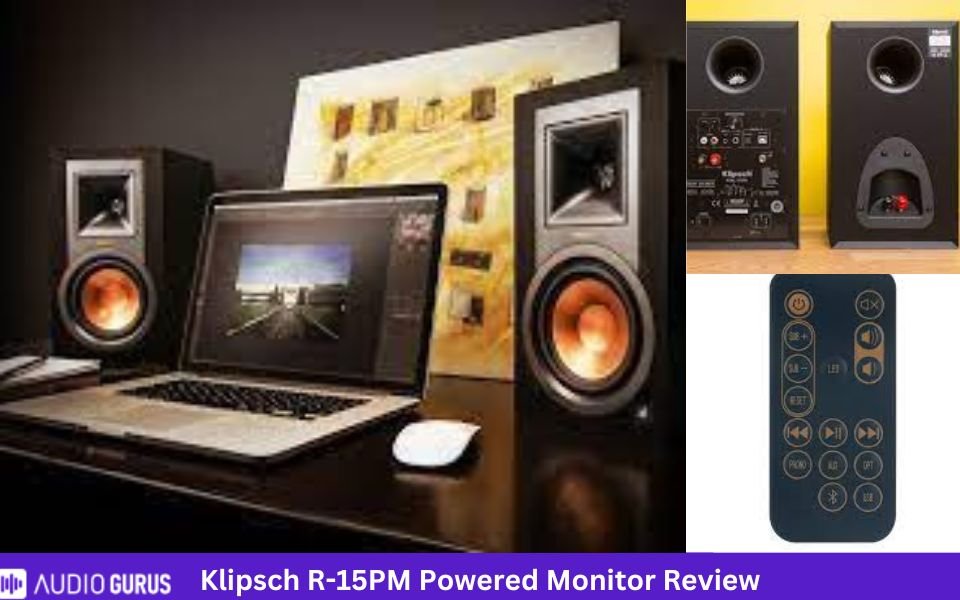
Have a look at the Klipsch R-15PM review to know why it is best. It has smaller driver than the The Sixes. With 5.25” woofer and frequency response of 62Hz to 24kHz, low-ends are clean and decent. The built-in amp gives out 50W per channel. Measuring around 12.5x7x8.11”, it will not take up much space. You can choose wired or wireless connectivity with multiple options.
Along with phono preamp, it has Bluetooth, digital optical, analog RCA and USB inputs. This makes it one of the best versatile powered monitors at affordable price. The amp is highly efficient and produces low noise so you can rely on it. This cuts down the hassle of looking for an AV receiver. Connection options indicate it is designed for desktop PCs along with others.
It shows good performance if you turn up the volume. The sound quality is rich and detailed with excellent dynamics. Connecting a sub to the speaker will bring out the magic. This Klipsch powered monitor is TV-ready and has the easiest setup and newbies will prefer this model over others. Like other Klipsch speakers, it is made of MDF and has good build quality. An IR remote is included so you can sit on the couch and control the speaker.
4.6 Mixed Usages
4.6
Dialogue & Vocal Accuracy:
4.7
Treble Accuracy:
4.6
Bass Accuracy:
4.6
Imaging & Soundstage:
4.6
Dynamic Range:
Specification
GENERAL:
Speaker Type
Bookshelf Speaker
Number Of Channels
2.0 way speaker
Amplification Type
Active Speaker (Built-in Amp)
Power Source
AC Powered
DRIVERS
Drive Unit
2x2
Tweeter Type
Aluminum
Tweeter Size (inches)
1
Midrange Size (inches)
N/A
Midrange Type
N/A
Woofer Size (inches)
5.25
Woofer Type
IMG woofer
Other
Specs
Power Range
50 wpc
Sensitivity
N/A
Impedance
N/A
Frequency Range
62Hz - 24kHz +/- 3dB
Crossover Frequencies
1800 Hz
CONNECTIVITY:
Speaker Wire Input:
N/A
Speaker Level Input
N/A
Line Level Input
Digital Input (Optical)
Digital Input (Coaxial)
Yes
RCA Input
Yes
3.5mm Stereo Analog Input
Yes
Aux Input
Bi-amp Input:
N/A
HDMI Input
N/A
USB Port
Yes
Subwoofer Output
Yes
Wireless Features
Bluetooth
Yes
Wi-Fi
N/A
Other
Connector:
Connector Type
N/A
Compatible Connector Types
N/A
Speaker Wire Compatibility
N/A
Audio Quality ( Tested )
Bass Accuracy:
Full and tight bass but not very deep.
Dialogue & Vocal Accuracy:
Clean and intelligible vocals
Treble Accuracy
Rich and detailed highs
Imaging & Soundstage:
Precise imaging and soundstage
Dynamic Range:
Decent dynamic range
Power Handling:
Adequate amount of power
Frequency Response:
Broad frequency response
Transient Response:
Quick transient response
Build Material
Enclosure
Ported
Finish
MDF
Color
Ebony
Size & Weight
Height (inches)
12.1
Width (inches)
7
Depth (inches)
8.11
Weight (pounds)
10.3
Recommended Stand Height (inches)
24-36
Control
Handheld Remote
Yes
Control by app
N/A
Amazon Alexa
N/A
Google Assistant
N/A
Rating System
Bass Accuracy:
4.6
Dialogue & Vocal Accuracy:
4.57
Treble Accuracy:
4.65
Imaging & Soundstage:
4.61
Dynamic Range:
4.57
IN THE BOX
Accessories:
1 pair of bookshelf speaker, Remote control, USB cable, RCA cable, Optical digital cable, rubber feet, Instruction, Warranty Information, Safety Instructions
User manual:
Yes
Check Prices
Loading...
Best sounding Klipsch bookshelf speaker
Reference Premiere 600M
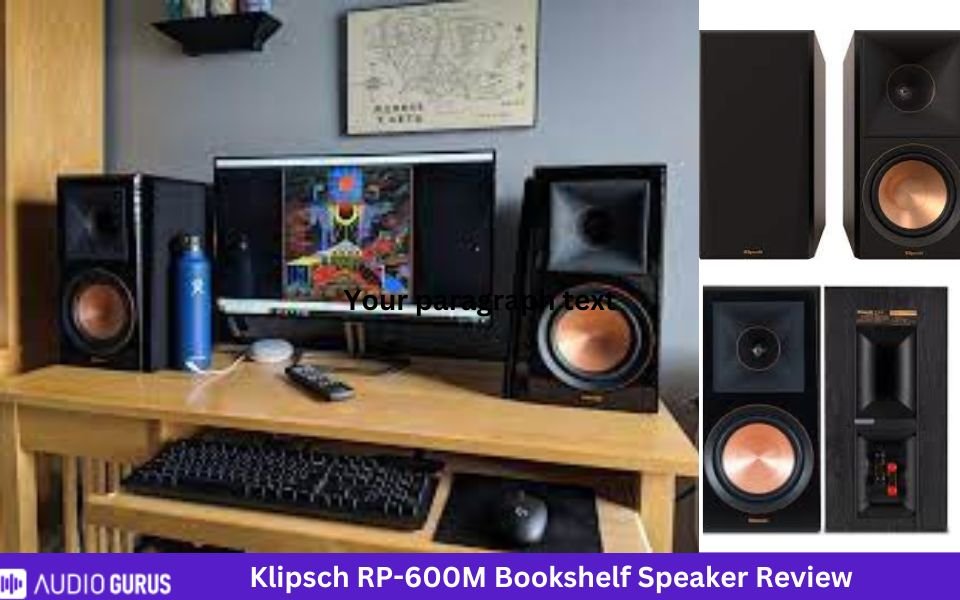
Should you buy it? Klipsch RP-600M review will help you decide. It has 6.25” woofer and, the tweeter size is the same as other speakers. LTS is used in tweeter diagram similar to other Reference speaker lineup. It can low as low as 45Hz and with the Horn shaped bass-reflex port, low ends are punchier and tighter. Treble region excels in clarity with reduced distortion. Klipsch gives full attention to this speaker and ‘eagle-eye’ focus on details is the proof.
Copper anodized trim rings, cast aluminum feet are some of the examples. Klipsch RP-600M specs show that it has power handling of 100W (continuous) and a sensitivity of 96dB. With high sensitivity, it can work smoothly with low power amps. Make sure to match the power and impedance (8 ohms). It delivers ‘sweet spot’ throughout a broader region and with minimized reflections, the sound holds its dynamics and remain crystal clear.
Place them on speaker stand, tabletop or shelves. It can rubber feet so it will remain stable with a firm grip. Make sure the tweeters are at ear level and the L and R speaker create an equilateral triangle with the user. Keep a distance of 6-15’ between the speakers and don’t forget to toe-in. You can use it as stereo speaker for front or rear or create a home theater with it. The speaker supports inclusion of a powered sub for better low-end representation.
4.45 Mixed Usages
4.4
Dialogue & Vocal Accuracy:
4.5
Treble Accuracy:
4.5
Bass Accuracy:
4.4
Imaging & Soundstage:
4.4
Dynamic Range:
Specification
GENERAL:
Speaker Type
Bookshelf Speaker
Number Of Channels
2.0 way speaker
Amplification Type
Passive Speaker (External Amp)
Power Source
AC Powered
DRIVERS
Drive Unit
2x2
Tweeter Type
Titanium LTS Vented Tweeter
Tweeter Size (inches)
1
Midrange Size (inches)
N/A
Midrange Type
N/A
Woofer Size (inches)
6.5
Woofer Type
Cerametallic Cone Woofer
Other
Specs
Power Range
100W/400W
Sensitivity
96 dB
Impedance
8 ohms
Frequency Range
45-25kHz +/- 3dB
Crossover Frequencies
1500Hz
CONNECTIVITY:
Speaker Wire Input:
Yes
Speaker Level Input
N/A
Line Level Input
N/A
Digital Input (Optical)
N/A
Digital Input (Coaxial)
N/A
RCA Input
N/A
3.5mm Stereo Analog Input
N/A
Aux Input
N/A
Bi-amp Input:
N/A
HDMI Input
N/A
USB Port
N/A
Subwoofer Output
N/A
Wireless Features
Bluetooth
N/A
Wi-Fi
N/A
Other
Connector:
Connector Type
Dual binding posts
Compatible Connector Types
banana plugs, pin-connectors, spade-lugs and bare wire
Speaker Wire Compatibility
standard speaker wire
Audio Quality ( Tested )
Bass Accuracy:
Solid bass but not room shaking
Dialogue & Vocal Accuracy:
Clear and intelligible vocals
Treble Accuracy
Undistorted highs that are dispersed through a broader area
Imaging & Soundstage:
Great imaging and powerful soundstage
Dynamic Range:
Great dynamic range
Power Handling:
Easy to drive
Frequency Response:
Wide frequency range
Transient Response:
Fast transient response
Build Material
Enclosure
Ported
Finish
MDF
Color
Ebony, Walnut, Piano Black
Size & Weight
Height (inches)
15.69
Width (inches)
7.95
Depth (inches)
11.85
Weight (pounds)
16 lbs
Recommended Stand Height (inches)
none
Control
Handheld Remote
N/A
Control by app
N/A
Amazon Alexa
N/A
Google Assistant
N/A
Rating System
Bass Accuracy:
4.49
Dialogue & Vocal Accuracy:
4.4
Treble Accuracy:
4.54
Imaging & Soundstage:
4.42
Dynamic Range:
4.4
IN THE BOX
Accessories:
1 pair of Bookshelf speakers, 2 Grilles, Self-adhesive rubber feet, User Manual, Important Safety Instructions, Warranty Information
User manual:
Yes
Check Prices
Loading...
RP-500M ii
Read along the Klipsch RP-500M II review to find out more. It has 5.25” woofer and a frequency response of 50Hz to 25kHz. The Cerametallic woofers are designed to eliminate distortion while improving efficiency. They are designed to have better accuracy and higher speed. Klipsch RP-500M II specs reveal it has a sensitivity of 92dB and a power handling of 75W (continuous).
Like several other Klipsch speakers, it has bass-reflex Tractrix port. Aluminum binding posts and high-end wires will attract music enthusiast. Instead of rubber bumpers, it uses cork pads for better grip. It has a balanced profile and has better value for money. The sound is crisp and clear with powerful soundstage. With a dimension of 13.56x6.81x10.65”, it won’t take up much space. Use them as front speakers for stereo sound or install them as surround speaker in home theater setup.
When using them as surround speakers, place them 2’ above listening position. You can pair it with RP-5000F II, center RP-404C, surround RP-502S II, and Atmos speakers RP-500SA II. This is an example and there are several other models you can choose from. The treble region is smooth but not fatiguing. This speaker pair has improved imaging and broader sweet spot.
It produces clean and loud vocals and shines in the mid-range section. Guitar tunes in audio have a ‘forward’ nature. Along with music, the speakers are good for movies. Compared to their size, the sound is much bigger and more powerful. You can place it on table or mount it on wall with wall brackets (not included).
4.38 Mixed Usages
4.4
Dialogue & Vocal Accuracy:
4.4
Treble Accuracy:
4.4
Bass Accuracy:
4.4
Imaging & Soundstage:
4.4
Dynamic Range:
Specification
GENERAL:
Speaker Type
Bookshelf Speaker
Number Of Channels
2.0 way speaker
Amplification Type
Passive Speaker (External Amp)
Power Source
AC Powered
DRIVERS
Drive Unit
2x2
Tweeter Type
Titanium LTS Vented Tweeter
Tweeter Size (inches)
1
Midrange Size (inches)
N/A
Midrange Type
N/A
Woofer Size (inches)
5.25
Woofer Type
Cerametallic Cone Woofer
Other
Specs
Power Range
75W/300W (cont/peak)
Sensitivity
92dB @ 2.83V / 1m*
Impedance
8 ohms
Frequency Range
50-25kHz +/- 3dB
Crossover Frequencies
1530Hz
CONNECTIVITY:
Speaker Wire Input:
Yes
Speaker Level Input
N/A
Line Level Input
N/A
Digital Input (Optical)
N/A
Digital Input (Coaxial)
N/A
RCA Input
N/A
3.5mm Stereo Analog Input
N/A
Aux Input
N/A
Bi-amp Input:
N/A
HDMI Input
N/A
USB Port
N/A
Subwoofer Output
N/A
Wireless Features
Bluetooth
N/A
Wi-Fi
N/A
Other
Connector:
Connector Type
Single aluminum binding posts
Compatible Connector Types
banana plugs (single only), pin-connectors, spade-lugs and bare wire
Speaker Wire Compatibility
12-16 AWG
Audio Quality ( Tested )
Bass Accuracy:
Clean and impactful bass
Dialogue & Vocal Accuracy:
Clear and loud voices
Treble Accuracy
Detailed and pure highs
Imaging & Soundstage:
Great imaging and good soundfield
Dynamic Range:
Good dynamic range
Power Handling:
Decent power handling
Frequency Response:
Broad frequency response
Transient Response:
It has quick transient response.
Build Material
Enclosure
Ported
Finish
MDF
Color
Ebony, Walnut
Size & Weight
Height (inches)
13.56
Width (inches)
6.81
Depth (inches)
10.65
Weight (pounds)
13.1lbs
Recommended Stand Height (inches)
24-28
Control
Handheld Remote
N/A
Control by app
N/A
Amazon Alexa
N/A
Google Assistant
N/A
Rating System
Bass Accuracy:
4.41
Dialogue & Vocal Accuracy:
4.38
Treble Accuracy:
4.39
Imaging & Soundstage:
4.35
Dynamic Range:
4.35
IN THE BOX
Accessories:
A pair of Bookshelf speakers, 2 Grilles, User Manual, Important Safety Instructions, Warranty Information
User manual:
Yes
Check Prices
Loading...
Best budget Klipsch bookshelf speaker
Audio enthusiasts often have a budget barrier that stops them of purchasing their desired speakers. Well, you don’t have to spend thousands to get a quality speaker and Klipsch promises some of the best budget bookshelf speaker. The sound will simply ‘blow’ you away.
Klipsch R-41M
Let’s have a look at the Klipsch R-41M review. It measures 11.3x5.75x7.9” and is made of MDF that ensures sonic accuracy. It is scratch resistant so it will stay as new for long time. The speaker has a frequency response of 68Hz - 21kHz +/- 3dB and a woofer of 4”. It can produce excellent midrange and has good bass response. With average bass, you can always add a subwoofer.
Along with stereo use, you can include this speaker in a home theater. This passive Klipsch speaker will need an AV receiver and you can also use R-51M, R-34C, R-14S, R-610F, and R-10SW. Also, you can use them as front or rear speakers. The speaker sounds larger than its size and since it has a sensitivity of 90dB, it doesn’t require much power to get loud.
Klipsch R-41M specs indicates that it uses Kapton aluminum used in the tweeter will enhance resolution and details. It works well with music and movies. If high volume, is your requirement, this Klipsch speaker is best for you. This small and compact speaker can handle 50W of continuous power. It is one of the best budget Klipsch bookshelf speaker that produces crisp and clear sound with excellent dynamics.
The sound exceeds the cost and size. You can fit them in tight spaces, and it will produce outstanding audio quality.
4.16 Mixed Usages
4.1
Dialogue & Vocal Accuracy:
4.2
Treble Accuracy:
4
Bass Accuracy:
4.2
Imaging & Soundstage:
4.2
Dynamic Range:
Specification
GENERAL:
Speaker Type
Bookshelf Speaker
Number Of Channels
2.0 way speaker
Amplification Type
Passive Speaker (External Amp)
Power Source
AC Powered
DRIVERS
Drive Unit
2x2
Tweeter Type
Aluminum LTS tweeter
Tweeter Size (inches)
1
Midrange Size (inches)
N/A
Midrange Type
N/A
Woofer Size (inches)
4
Woofer Type
spun-copper IMG woofer
Other
Specs
Power Range
50W/200W (cont/peak)
Sensitivity
90 dB @ 2.83V/1M
Impedance
8 ohms
Frequency Range
68Hz - 21kHz +/- 3dB
Crossover Frequencies
1,730 Hz
CONNECTIVITY:
Speaker Wire Input:
Yes
Speaker Level Input
N/A
Line Level Input
N/A
Digital Input (Optical)
N/A
Digital Input (Coaxial)
N/A
RCA Input
N/A
3.5mm Stereo Analog Input
N/A
Aux Input
N/A
Bi-amp Input:
N/A
HDMI Input
N/A
USB Port
N/A
Subwoofer Output
N/A
Wireless Features
Bluetooth
N/A
Wi-Fi
N/A
Other
Connector:
Connector Type
Single Gold Plated Binding Posts
Compatible Connector Types
banana plugs (single or dual), pin-connectors, spade-lugs and bare wire
Speaker Wire Compatibility
16-12 gauge
Audio Quality ( Tested )
Bass Accuracy:
Lows are clean, decent and not muddy
Dialogue & Vocal Accuracy:
Good voices
Treble Accuracy
The highs are detailed and airy
Imaging & Soundstage:
Great imaging and soundstage
Dynamic Range:
Decent dynamic range
Power Handling:
Power handling shows it is easy to drive
Frequency Response:
Wide frequency response
Transient Response:
Good transient response
Build Material
Enclosure
Bass-reflex
Finish
MDF
Color
Black
Size & Weight
Height (inches)
11.3
Width (inches)
5.75
Depth (inches)
7.9
Weight (pounds)
7lb
Recommended Stand Height (inches)
26-31
Control
Handheld Remote
N/A
Control by app
N/A
Amazon Alexa
N/A
Google Assistant
N/A
Rating System
Bass Accuracy:
4.03
Dialogue & Vocal Accuracy:
4.14
Treble Accuracy:
4.23
Imaging & Soundstage:
4.17
Dynamic Range:
4.23
IN THE BOX
Accessories:
Bookshelf loudspeakers, 2 Grilles, 8 Self-adhesive rubber feet, Quick Setup Guide, Important Safety Instructions, Warranty Information
User manual:
Yes
Check Prices
Loading...
Klipsch R-14M
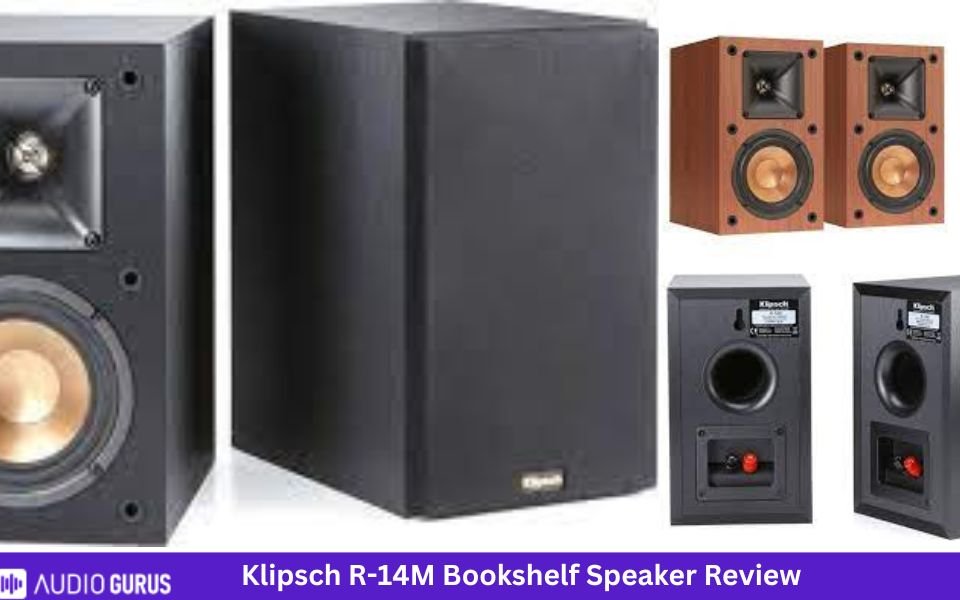
RP-14M is one of the best affordable Klipsch speaker under $100. It has 4” woofer and low frequency can get as low as 64Hz. It is best for small to mid-sized rooms. While a $100 speaker wont produce high-end audio, it still packs a punch. Choose an ideal amplifier or receiver for the speaker and allow them to shine. Use them as movie speaker or listen to music. The speaker measures 9.75x5.88x7.5”.
It has 90dB sensitivity and will seamlessly work in a home theater. We recommend including a subwoofer if you have the space. Although in lower volume levels, the speaker might not represent all details, it works well for average volume. You can use this speaker during nighttime as well. Since the LTS tweeter is designed to lower any distortion, it can excel when you play loud music.
Create a theater system as follows, R-15M, R-25C, R-14S, R-24F/R-26F/R-28F and R-10SW/R-12SW. if you purchase this model, you will surely receive big sound in small package. It will fit easily so if you have space issues, this model will help you. Connect the speakers to the PC, TV and play any type of content you want.
4.45 Mixed Usages
4.4
Dialogue & Vocal Accuracy:
4.5
Treble Accuracy:
4.5
Bass Accuracy:
4.4
Imaging & Soundstage:
4.4
Dynamic Range:
Specification
GENERAL:
Speaker Type
Bookshelf Speaker
Number Of Channels
2.0 way speaker
Amplification Type
Passive Speaker (External Amp)
Power Source
AC Powered
DRIVERS
Drive Unit
2x2
Tweeter Type
Aluminum LTS tweeter
Tweeter Size (inches)
1
Midrange Size (inches)
N/A
Midrange Type
N/A
Woofer Size (inches)
4
Woofer Type
IMG woofer
Other
Specs
Power Range
50W/200W
Sensitivity
90 dB
Impedance
8 ohms
Frequency Range
64Hz - 24kHz +/- 3dB
Crossover Frequencies
2250 Hz
CONNECTIVITY:
Speaker Wire Input:
Yes
Speaker Level Input
N/A
Line Level Input
N/A
Digital Input (Optical)
N/A
Digital Input (Coaxial)
N/A
RCA Input
N/A
3.5mm Stereo Analog Input
N/A
Aux Input
N/A
Bi-amp Input:
N/A
HDMI Input
N/A
USB Port
N/A
Subwoofer Output
N/A
Wireless Features
Bluetooth
N/A
Wi-Fi
N/A
Other
Connector:
Connector Type
single binding posts
Compatible Connector Types
banana plugs, pin-connectors, spade-lugs and bare wire
Speaker Wire Compatibility
standard speaker wire
Audio Quality ( Tested )
Bass Accuracy:
Tight lows that is moderately good for compact spaces
Dialogue & Vocal Accuracy:
Clear voices
Treble Accuracy
Detailed highs
Imaging & Soundstage:
Expansive soundstage and good imaging
Dynamic Range:
Moderate dynamic range
Power Handling:
Easy to drive
Frequency Response:
Broad frequency response
Transient Response:
Good transient response
Build Material
Enclosure
Ported
Finish
MDF
Color
black
Size & Weight
Height (inches)
9.75
Width (inches)
5.88
Depth (inches)
7.5
Weight (pounds)
7.13
Recommended Stand Height (inches)
none
Control
Handheld Remote
N/A
Control by app
N/A
Amazon Alexa
N/A
Google Assistant
N/A
Rating System
Bass Accuracy:
4.48
Dialogue & Vocal Accuracy:
4.4
Treble Accuracy:
4.53
Imaging & Soundstage:
4.42
Dynamic Range:
4.4
IN THE BOX
Accessories:
1 pair of Bookshelf speakers, 2 Grilles, Self-adhesive rubber feet, User Manual, Warranty sheet, Safety Instructions
User manual:
Yes
Check Prices
Loading...
Best high-end Klipsch bookshelf speaker
Klipsch RP-600m ii
The Klispch RP-600M II costs higher than the RP-600M model. While several things are same, like the woofer size or dual input terminals, there are differences as well. It has a 6.5” woofer and a frequency response of 44Hz to 25kHz. When paired with a sub, the speaker produces ‘exciting’ sound making movies and music enjoyable. Klipsch RP-600M II specs shows it has a sensitivity of 94dB and continuous power handling of 100W.
Like other Klipsch bookshelf speakers, this model has furniture grade and scratch-resistant finish resulting in sturdy build quality. In case you want to create a theater system with it, have a look at the speaker position diagram below. The treble and mid region is detailed and shows accurate representation. Tractrix Horn ensure accurate soundstage and directivity of the speaker. They are an improvement and worth spending after.
The authoritative sound from these speakers makes it one of the best high-end Klipsch bookshelf speaker. This redesigned RP-600M II has Cerametallic woofer is known to have better control and accuracy. No matter the type of content you play, it produces lively and impressive sound with depth.
4.36 Mixed Usages
4.4
Dialogue & Vocal Accuracy:
4.4
Treble Accuracy:
4.4
Bass Accuracy:
4.4
Imaging & Soundstage:
4.4
Dynamic Range:
Specification
GENERAL:
Speaker Type
Bookshelf Speaker
Number Of Channels
2.0 way speaker
Amplification Type
Passive Speaker (External Amp)
Power Source
AC Powered
DRIVERS
Drive Unit
2x2
Tweeter Type
Titanium LTS Vented Tweeter
Tweeter Size (inches)
1
Midrange Size (inches)
N/A
Midrange Type
N/A
Woofer Size (inches)
6.5
Woofer Type
Cerametallic Cone with Faraday Rings
Other
Specs
Power Range
100W/400W
Sensitivity
94.5dB @ 2.83V / 1m
Impedance
8 ohms
Frequency Range
44-25kHz +/- 3dB
Crossover Frequencies
1500Hz
CONNECTIVITY:
Speaker Wire Input:
Yes
Speaker Level Input
N/A
Line Level Input
N/A
Digital Input (Optical)
N/A
Digital Input (Coaxial)
N/A
RCA Input
N/A
3.5mm Stereo Analog Input
N/A
Aux Input
N/A
Bi-amp Input:
Yes
HDMI Input
N/A
USB Port
N/A
Subwoofer Output
N/A
Wireless Features
Bluetooth
N/A
Wi-Fi
N/A
Other
Connector:
Connector Type
Binding post
Compatible Connector Types
banana plugs (single only), pin-connectors, spade-lugs and bare wire
Speaker Wire Compatibility
16-12 gauge
Audio Quality ( Tested )
Bass Accuracy:
clean, even and adequate bass
Dialogue & Vocal Accuracy:
clear voices
Treble Accuracy
detailed and rich highs
Imaging & Soundstage:
precise imaging and wide soundstage
Dynamic Range:
Good dynamic range
Power Handling:
Decent power handling
Frequency Response:
Broad frequency response
Transient Response:
It has quick transient response.
Build Material
Enclosure
Ported
Finish
MDF
Color
Black, Walnut
Size & Weight
Height (inches)
15.75
Width (inches)
7.95
Depth (inches)
13
Weight (pounds)
18.1lbs
Recommended Stand Height (inches)
22-26
Control
Handheld Remote
N/A
Control by app
N/A
Amazon Alexa
N/A
Google Assistant
N/A
Rating System
Bass Accuracy:
4.36
Dialogue & Vocal Accuracy:
4.36
Treble Accuracy:
4.4
Imaging & Soundstage:
4.35
Dynamic Range:
4.35
IN THE BOX
Accessories:
A pair of Bookshelf speakers, 2 Grilles, 4 Terminal jumpers, User Manual, Important Safety Instructions, Warranty Information
User manual:
Yes
Check Prices
Loading...
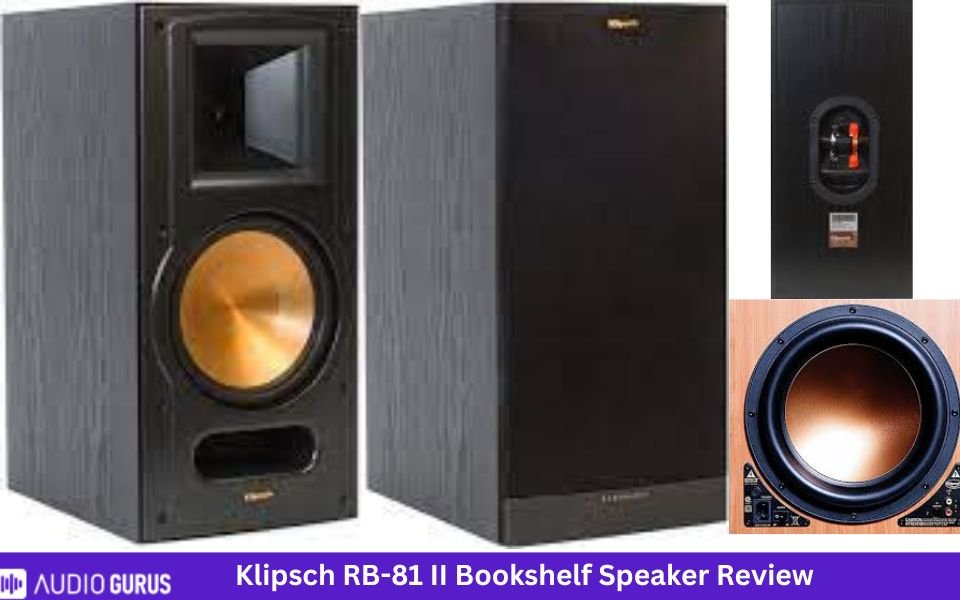
Klipsch RB-81 II
Klipsch RB-81 II is one of the best bookshelf speakers for large rooms. This is ideal for places where you can’t fit a floorstanding but still want room-filling sound. An 8” woofer and frequency range of 44 Hz to 24kHz results in deep and tighter bass. Unlike other models, this one has a front-firing port which means it is less placement sensitive.
Klipsch RB-81 II specs shows it has power handling of 150RMS and sensitivity of 97dB. With high sensitivity, it can go louder without distortion. The redesigned and improved horn shape ensure to achieve better dynamics and efficiency. The drivers are designed not to sound too bright or fatiguing after long listening hours. The front-firing port effectively minimize any turbulence noise. Use them as front or surround speakers.
This redesigned model sounds big and better. Even without a subwoofer, the performance is powerful, immersive, and satisfying. Klipsch RB-81 II delivers audiophile grade audio quality. Users with hearing issues will enjoy these as well. Clear, rich, and detailed sound remain consistent throughout the listening period. This ‘powerhouse’ bookshelf speaker brings a smile to anyone who has it.
4.46 Mixed Usages
4.4
Dialogue & Vocal Accuracy:
4.6
Treble Accuracy:
4.5
Bass Accuracy:
4.4
Imaging & Soundstage:
4.4
Dynamic Range:
Specification
GENERAL:
Speaker Type
Bookshelf Speaker
Number Of Channels
2.0 way speaker
Amplification Type
Passive Speaker (External Amp)
Power Source
AC Powered
DRIVERS
Drive Unit
2x2
Tweeter Type
Tractrix Horn
Tweeter Size (inches)
1
Midrange Size (inches)
N/A
Midrange Type
N/A
Woofer Size (inches)
8
Woofer Type
Cerametallic Cone Woofer
Other
Specs
Power Range
150W RMS / 600W Peak
Sensitivity
97 dB
Impedance
8 ohms
Frequency Range
44Hz-24KHz ± 3dB
Crossover Frequencies
1400Hz
CONNECTIVITY:
Speaker Wire Input:
Yes
Speaker Level Input
N/A
Line Level Input
N/A
Digital Input (Optical)
N/A
Digital Input (Coaxial)
N/A
RCA Input
N/A
3.5mm Stereo Analog Input
N/A
Aux Input
N/A
Bi-amp Input:
Yes
HDMI Input
N/A
USB Port
N/A
Subwoofer Output
N/A
Wireless Features
Bluetooth
N/A
Wi-Fi
N/A
Other
Connector:
Connector Type
Dual binding posts
Compatible Connector Types
banana plugs, pin-connectors, spade-connectors, and bare wire.
Speaker Wire Compatibility
standard speaker wire
Audio Quality ( Tested )
Bass Accuracy:
deep and impactful bass
Dialogue & Vocal Accuracy:
Clear and intelligible vocals
Treble Accuracy
great highs that does not sound harsh
Imaging & Soundstage:
great imaging and broad soundstage
Dynamic Range:
Decent dynamic range
Power Handling:
Easy to drive
Frequency Response:
Broad frequency response
Transient Response:
Fast transient response
Build Material
Enclosure
Bass Reflex
Finish
Woodgrain vinyl
Color
Finish Black Ash & Cherry woodgrain vinyl
Size & Weight
Height (inches)
19
Width (inches)
9.3
Depth (inches)
12.3
Weight (pounds)
27.5 lbs
Recommended Stand Height (inches)
18-24
Control
Handheld Remote
N/A
Control by app
N/A
Amazon Alexa
N/A
Google Assistant
N/A
Rating System
Bass Accuracy:
4.5
Dialogue & Vocal Accuracy:
4.4
Treble Accuracy:
4.56
Imaging & Soundstage:
4.43
Dynamic Range:
4.4
IN THE BOX
Accessories:
1 pair of bookshelf speaker, magnetic grille, Self-adhesive rubber feet, Owner's Manual
User manual:
Yes
Check Prices
Loading...
Best futureproof Klipsch bookshelf speaker
Futureproof speakers leave open doors so that you don’t get stuck in future. This means the speaker will allow you to include a subwoofer or other speakers like center channel or rear speakers. So that, you can create a home theater system if you want.
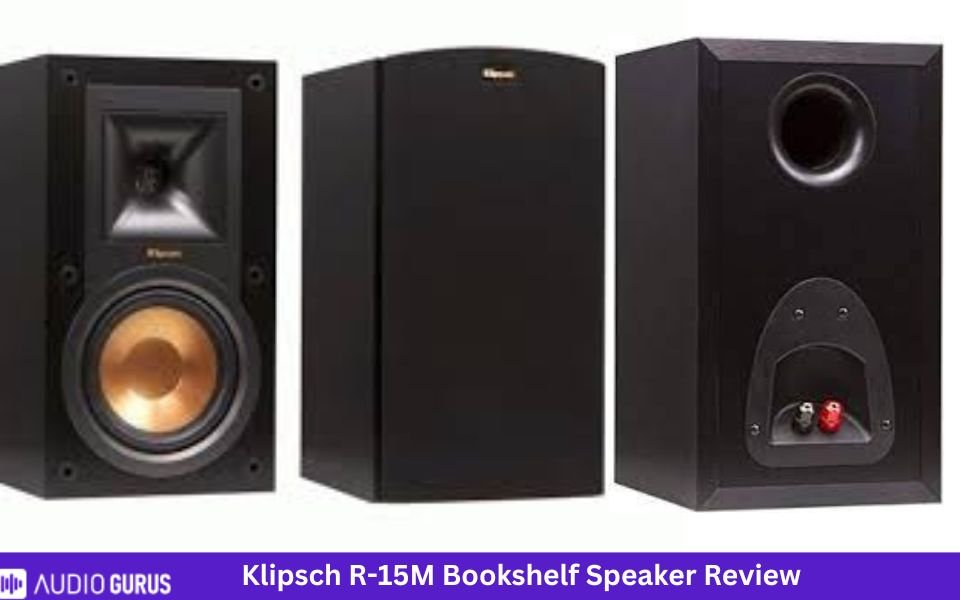
Klipsch R-15M
Klipsch R-15M review will shed light on details to explain why it is one of the best speakers for small to medium sized rooms. It has 1” tweeter and 5.25” woofer along with a frequency response of 62Hs-24kHz. The R-15M Klipsch specs say that the low-ends will be decent. It has a rear firing port to minimize turbulence.
Klipsch R-15M price is much lower and affordable compared to powered monitors like the The Sixes. This pair produces lively and engaging sound. It can produce low ends without cone distortion. It is one of the best futureproof speakers and if you want, you can include a subwoofer with it. Along with adding powered subwoofer, you can pair it with Klipsch R-14M, R-25C, R-14S and R-24F speakers to build a complete theater system.
Match an amp or receiver with it to bring out the powerful sound. It has power handling of 84W and impedance of 8 ohms. This ‘exciting’ speaker will be ideal for listening to music or movies. The treble and mids are clean and it has excellent dynamics. They are popular due to performance vs price comparison.
4.46 Mixed Usages
4.5
Dialogue & Vocal Accuracy:
4.5
Treble Accuracy:
4.5
Bass Accuracy:
4.4
Imaging & Soundstage:
4.4
Dynamic Range:
Specification
GENERAL:
Speaker Type
Bookshelf Speaker
Number Of Channels
2.0 way speaker
Amplification Type
Passive Speaker (External Amp)
Power Source
AC Powered
DRIVERS
Drive Unit
2x2
Tweeter Type
Aluminum LTS tweeter
Tweeter Size (inches)
1
Midrange Size (inches)
N/A
Midrange Type
N/A
Woofer Size (inches)
5.25
Woofer Type
IMG woofer
Other
Specs
Power Range
85W/340W
Sensitivity
94 dB
Impedance
8 ohms
Frequency Range
62Hz - 24kHz +/- 3dB
Crossover Frequencies
1800Hz
CONNECTIVITY:
Speaker Wire Input:
Yes
Speaker Level Input
N/A
Line Level Input
N/A
Digital Input (Optical)
N/A
Digital Input (Coaxial)
N/A
RCA Input
N/A
3.5mm Stereo Analog Input
N/A
Aux Input
N/A
Bi-amp Input:
N/A
HDMI Input
N/A
USB Port
N/A
Subwoofer Output
N/A
Wireless Features
Bluetooth
N/A
Wi-Fi
N/A
Other
Connector:
Connector Type
Single binding posts
Compatible Connector Types
banana plugs, pin-connectors, spade-lugs and bare wire
Speaker Wire Compatibility
standard speaker wire
Audio Quality ( Tested )
Bass Accuracy:
Deep bass that shows its presence
Dialogue & Vocal Accuracy:
Clear and loud voices
Treble Accuracy
Detailed and responsive highs
Imaging & Soundstage:
Decent imaging and broad soundstage
Dynamic Range:
Good dynamic range
Power Handling:
Easy to drive
Frequency Response:
Broad frequency response
Transient Response:
Quick transient response
Build Material
Enclosure
Bass Reflex
Finish
MDF
Color
Black, Ebony
Size & Weight
Height (inches)
12.1
Width (inches)
7
Depth (inches)
8.11
Weight (pounds)
10.3 lbs
Recommended Stand Height (inches)
28-31
Control
Handheld Remote
N/A
Control by app
N/A
Amazon Alexa
N/A
Google Assistant
N/A
Rating System
Bass Accuracy:
4.49
Dialogue & Vocal Accuracy:
4.45
Treble Accuracy:
4.53
Imaging & Soundstage:
4.42
Dynamic Range:
4.4
IN THE BOX
Accessories:
1 pair of Bookshelf speakers, Grilles, Self-adhesive rubber feet, User Manual, Warranty sheet, Important Safety Instructions
User manual:
Yes
Check Prices
Loading...
RP-150M
Klipsch RP-150M review says that it is another futureproof speaker. It will work with R-110SW sub. Or you can create a home theater system by adding RP-250C and RP-240S. The speaker has 5.25” woofer and the lower frequency reaches 48Hz. Klipsch RP-150M specs show it has a power handling of 75W (continuous). Sensitivity is high as well, 93 dB.
This high sensitivity means it can get loud and can work with low power amps. Use an amp or tube amp with these speakers. Measuring around 14.57” x 7.67” x 10.67", these speakers produce clearer sound and make music come back to life. The treble region is well-represented which isn’t too bright. If you want to know list of Klipsch best bookshelf speakers, then RP-150M will be one of them. Soundstage is impressive and so is imaging.
Pair it with a center channel and sub to have ultimate movie theater experience with clearer vocals. You can place it on tabletop where the rubber feet will make the speakers stable. Or you can mount it on the wall. The speakers excel in balance and clarity. At low volume, the sound is clear and intelligible. At this price point, the performance is more that you can ask for.
Best stylish Klipsch bookshelf speaker
Klipsch Signature woofer and tweeter allow a user to identify that it is a ‘Klipsch’ product from distance. MDF enclosure ensures there is no coloration in the sound and focuses on producing purer form of it.
Klipsch Synergy B-100
Synergy B-100 is one of the stylish Klipsch bookshelf speaker. Klipsch iconic woofers will be acknowledge by your friends from a long distance. With 90dB sensitivity, the speakers can get louder. It has 0.75” tweeter and 4” woofer. The audio quality is satisfactory, and you can listen to it for long period of time without any ear issues. You can use them as rear speaker in home theaters to boost the overall sound.
Klipsch Synergy B-100 specs tells us it has a frequency response of 64Hz-23kHz. With a smaller woofer size compared to other models, this speaker packs a punch. It delivers clean and deep bass. However, as always, we suggest inclusion of a subwoofer. Intelligent driver design gives us wide soundstage, clearer and lifelike sound. Once you choose a sub, you can connect subwoofer and speaker of your choice.
This speaker will give you a vintage look and blend into any décor. This is true for other Klipsch models as well. The speakers sound rich and powerful for something that costs under $150. If you have small rooms, you can use them as stereo speakers. Otherwise include them in your home theater.
KlipschRP-160M
Read along the Klipsch RP-160M review to know more about it. We know it by now that all Klipsch model is made of MDF. RP-160M build quality is very good. It has brushed polymer veneer finish. Spun copper Cerametallic woofer gives the signature look of Klipsch. The speaker produces crisp and clear sound with a natural tone. They excel in maximizing efficiency and minimizing distortion.
It has a 6.5” woofer and a frequency response of 45Hz to 25kHz. The low ends are deeper and tighter. It has a sensitivity of 96dB and as the speaker gets louder, it remains clear. if you have the budget, include the RP-160M and create a home theater. Or at least include a sub with the stereo speakers if you are picky about the low ends.
Make sure to match an appropriate AV receiver. If you have space on your table, you can also use it as PC speaker. Although they are big in size, they will not need much power to shine. Audio quality is clear but never ‘harsh’. Sound separation is impressive as well. The cost is legit based on performance and quality.
4.36 Mixed Usages
4.4
Dialogue & Vocal Accuracy:
4.4
Treble Accuracy:
4.4
Bass Accuracy:
4.3
Imaging & Soundstage:
4.4
Dynamic Range:
Specification
GENERAL:
Speaker Type
Bookshelf Speaker
Number Of Channels
2.0 way speaker
Amplification Type
Passive Speaker (External Amp)
Power Source
AC Powered
DRIVERS
Drive Unit
2x2
Tweeter Type
Titanium LTS Tweeter with Hybrid Tractrix Horn
Tweeter Size (inches)
1
Midrange Size (inches)
N/A
Midrange Type
N/A
Woofer Size (inches)
6.5
Woofer Type
Cerametallic Cone Woofer
Other
Specs
Power Range
100W/400W (cont/peak)
Sensitivity
96dB @ 2.83V / 1m
Impedance
8 ohms
Frequency Range
45-25kHz +/- 3dB
Crossover Frequencies
1500Hz
CONNECTIVITY:
Speaker Wire Input:
Yes
Speaker Level Input
N/A
Line Level Input
N/A
Digital Input (Optical)
N/A
Digital Input (Coaxial)
N/A
RCA Input
N/A
3.5mm Stereo Analog Input
N/A
Aux Input
N/A
Bi-amp Input:
Yes
HDMI Input
N/A
USB Port
N/A
Subwoofer Output
N/A
Wireless Features
Bluetooth
N/A
Wi-Fi
N/A
Other
Connector:
Connector Type
Dual binding posts
Compatible Connector Types
banana plugs (single only), pin-connectors, spade-connectors, and bare wire.
Speaker Wire Compatibility
12-16 AWG
Audio Quality ( Tested )
Bass Accuracy:
Clear and deep bass
Dialogue & Vocal Accuracy:
Intelligible and clear vocals
Treble Accuracy
Clearer and accurate highs
Imaging & Soundstage:
Outstanding imaging and powerful soundstage
Dynamic Range:
Great dynamic range
Power Handling:
impressive power handling
Frequency Response:
Wide frequency response that can get as low as 45Hz
Transient Response:
Quite good transient response
Build Material
Enclosure
Ported
Finish
MDF
Color
Ebony, Cherry, Walnut
Size & Weight
Height (inches)
16.67
Width (inches)
8.81
Depth (inches)
12.86
Weight (pounds)
19.9lbs
Recommended Stand Height (inches)
24-28
Control
Handheld Remote
N/A
Control by app
N/A
Amazon Alexa
N/A
Google Assistant
N/A
Rating System
Bass Accuracy:
4.39
Dialogue & Vocal Accuracy:
4.35
Treble Accuracy:
4.38
Imaging & Soundstage:
4.34
Dynamic Range:
4.35
IN THE BOX
Accessories:
2 Bookshelf speakers, 2 Detachable magnetic grilles, User Manual, Warranty Information, Important Safety Instructions
User manual:
Yes
Check Prices
Loading...
Best value Klipsch bookshelf speaker
There are some speakers that excel in terms of performance even though they aren’t very expensive. Klipsch ensures users with different budgets can receive quality sound.
Klipsch Synergy B-200
Klipsch Synergy B-200 has 0.75” tweeter and 5.25” woofer. It measures 12.5x 7x 8”. The speaker has 85W continuous power and an impedance of 8 ohms. While choosing the amp, make sure it can handle the speaker well. It can get as low as 62Hz, so the bass is tight but average. As always, use a sub to enhance the low ends.
The speakers have a sensitivity of 92dB. It doesn’t come with speaker wires so you should purchase 16-gauge wire. Along with front, you can use them as rear speakers. Bass response is good along with clearer treble. Mids are well represented. Once connected to the AV receiver, you can connect sub or build a home theater.
They are bright but in a good way and will not cause any ear fatigue. It produces high-fidelity sound without any distortion. It has wide frequency response and produces highly efficient ‘Klipsch’ sound. This model is suitable for all type of audio content. Movie and music lovers consider it to have best value for money.
Klipsch R-14M
Klipsch R-14M review will give detailed information so that you can make a clear decision. This model has a 4” woofer and can get as low as 64Hz. Sensitivity is lower than other Klipsch models, but it is still under high range. It has a dimension of 9.75x5.88x7.5” and Klipsch R-14M specs doesn’t hide anything at all. Low ends are powerful but only for its size. You can expect room shaking bass from this speaker. Simply connect a sub and enjoy movies and music.
It sounds best at average volume levels but at low volume, it can lose details which isn’t major in any way. Like other passive models, you can include this into a home theater creating powerful and room-filling sound. It is one of the best Klipsch speaker under $100. The performance and quality exceed the cost.
Parting words
Some of the best Klipsch bookshelf speaker are RP-600M II, The Sixes, RW-51M, etc. Klipsch bookshelf speakers allow you to choose from active or passive speaker. Although Klipsch was accused of being bright, they improved their mistake, and you won’t find this situation again. All the speakers reviewed here supports an additional subwoofer.
If you include a receiver, you can easily complete a theater system and choose from the Klipsch speakers. Most of the Klipsch speakers have high sensitivity which means you can drive them with low power amps. Make sure to match the power and impedance of the speaker with the amp. Also, follow the speaker placement guidelines for best results.
Most of the bookshelf speakers can be used as both front or rear/surround speakers. Even if you cant afford a 5.1 home theater system, we suggest to go for a 2.1 system.
4.45 Mixed Usages
4.4
Dialogue & Vocal Accuracy:
4.5
Treble Accuracy:
4.5
Bass Accuracy:
4.4
Imaging & Soundstage:
4.4
Dynamic Range:
Specification
GENERAL:
Speaker Type
Bookshelf Speaker
Number Of Channels
2.0 way speaker
Amplification Type
Passive Speaker (External Amp)
Power Source
AC Powered
DRIVERS
Drive Unit
2x2
Tweeter Type
Aluminum LTS tweeter
Tweeter Size (inches)
1
Midrange Size (inches)
N/A
Midrange Type
N/A
Woofer Size (inches)
4
Woofer Type
IMG woofer
Other
Specs
Power Range
50W/200W
Sensitivity
90 dB
Impedance
8 ohms
Frequency Range
64Hz - 24kHz +/- 3dB
Crossover Frequencies
2250 Hz
CONNECTIVITY:
Speaker Wire Input:
Yes
Speaker Level Input
N/A
Line Level Input
N/A
Digital Input (Optical)
N/A
Digital Input (Coaxial)
N/A
RCA Input
N/A
3.5mm Stereo Analog Input
N/A
Aux Input
N/A
Bi-amp Input:
N/A
HDMI Input
N/A
USB Port
N/A
Subwoofer Output
N/A
Wireless Features
Bluetooth
N/A
Wi-Fi
N/A
Other
Connector:
Connector Type
single binding posts
Compatible Connector Types
banana plugs, pin-connectors, spade-lugs and bare wire
Speaker Wire Compatibility
standard speaker wire
Audio Quality ( Tested )
Bass Accuracy:
Tight lows that is moderately good for compact spaces
Dialogue & Vocal Accuracy:
Clear voices
Treble Accuracy
Detailed highs
Imaging & Soundstage:
Expansive soundstage and good imaging
Dynamic Range:
Moderate dynamic range
Power Handling:
Easy to drive
Frequency Response:
Broad frequency response
Transient Response:
Good transient response
Build Material
Enclosure
Ported
Finish
MDF
Color
black
Size & Weight
Height (inches)
9.75
Width (inches)
5.88
Depth (inches)
7.5
Weight (pounds)
7.13
Recommended Stand Height (inches)
none
Control
Handheld Remote
N/A
Control by app
N/A
Amazon Alexa
N/A
Google Assistant
N/A
Rating System
Bass Accuracy:
4.48
Dialogue & Vocal Accuracy:
4.4
Treble Accuracy:
4.53
Imaging & Soundstage:
4.42
Dynamic Range:
4.4
IN THE BOX
Accessories:
1 pair of Bookshelf speakers, 2 Grilles, Self-adhesive rubber feet, User Manual, Warranty sheet, Safety Instructions
User manual:
Yes
Check Prices
Loading...
FAQ
Is subwoofer a must have?
Klipsch bookshelf speakers will produce clean and deep bass. The bass will increase if the woofer size is larger. If you don’t want to scrutinize the low ends, you won’t need a subwoofer.
Is Klipsch a good brand?
Klipsch manufactures speakers that have best value for money. At reasonable and cheap price, you can purchase speakers that shows decent performance if not ‘high-end’
Back in the day, local cinema was one of the few options of entertainment. But now, it’s a distant memory. Streaming services make it easy to catch up on the latest movies and TV episodes, even if you don't have cable. However, there are things about movies that make you forget about everything else, like the feeling of completely immersing yourself in them and not paying attention to anything at all.
And that's why Home Theater has come out to the market, boosting comfort and entertainment options directly into your own home. A home theater is an excellent way to watch TV and movies at home with just a little extra excitement.
Want to know more about this system? Let's get into the specifics.
What to Consider When Building Your Home Theater
Here is a list of things you should think about when you build your own home theater:
Where Will You Put a Home Theater?
The first thing you need to do is find a place or a spot in your home. Home theaters come in all shapes and sizes. Some can fit in small places, while others need a lot of space. If you know where your home entertainment system will be, you can put it where it should be. Easier it is to set up space when you know where and how it is set up. Make sure to think about whether you'll be using the home theater on your own or with your family while you're shopping for a new one. In this case, you wouldn't want to go very far.
There isn't much to do after you pick a place. All that's left is to set up the necessary equipment. If you're having a party for your family, you'll need to think about how to fit more people in. Choose whether you want to use an existing room in your house or build a new one for your home theater. You might be able to save money by using a room in your house, but you'll have to deal with the limitations of the space. When you build a room with a home theater system in mind, you can choose the right acoustic materials and hide any wires in walls and custom cabinets.
What's Your Home Theater Budget?
Then, decide how much money you're willing to invest. A Blu-ray player and a large flat-screen TV are the basics of a home theater system. But what about surround-sound speakers and a whole room of equipment? Whether you want to pay a little or a lot to get the most out of your moviegoing experience is entirely up to you.
Speaker Placement is Key
Movie-watching is better with a 5.1 surround sound system because it adds five full-range speakers and a subwoofer to a normal home theater. Only those speakers must be at least 20 inches away from the walls when people are sitting down. You can use two center channels on each side of the TV to make the center channel. It's important to make sure your speaker location stays the same every time you use it.
Viewing Angles
The HD screen is, without a doubt, a major selling point of your theater setup. With screens, bigger isn't always better. You have to think about the size and how you can see it. The right mix is very important to make sure that the whole screen can be seen at once.
For the best picture quality, keep your distance from the screen at least double its diagonal width in order to get the best picture. Putting your eyes level with the center of the screen may be the best way to get the best view. There are a lot of wall-mounted screen options, like low-profile TV mounts, ceiling-mounted mounts, and other things.
What do the channels mean?
There are so many channels such as 5.1, 7.1, 11.1, and so on. The first number (say, 7 in a 7.1 system) is the number of speakers in the system. This number refers to how many subwoofers there are in the system if it has one. For example, the.2 in a 5.1.2 system shows how many Dolby Atmos speakers are in the system, which is how many. It comes with Dolby Atmos and a subwoofer as part of a 5.1.2 home theater set up.
As I said before, channels can be thought of as speakers. True home theater surround sound, on the other hand, needs more than two channels (left and right). To say it another way, the more channels you have, the more speakers you can have on at once. This is made even better by the use of a lot of loudspeakers.
Guide on: 5.2 vs 7.2 Home Theater
A minimum of five channels must be used. If we had to pick a minimum number, we'd pick seven. At home, you can enjoy the same sound quality as you would in a modern digital movie theater: big, exciting, hold-on-tight sound. There are seven channels in this speaker.
When it comes to channels, let's take a look.
In the past, the term "2.0" has been used to describe a stereo system that was old (Two channels, two speakers).
Adding a subwoofer makes it a 2.1 setup with even more powerful bass. As you can see in this picture, there are two front speakers and one subwoofer.
A "3.1" would be made by adding a center channel speaker so that the dialogue always sounds like it's coming from the center of the screen (this is particularly significant if you are seated to the side).
Two extra speakers will be needed if you want surround sound that goes all the way around the room. You'll need them at the back of the room. A few years ago, surround sound was all about 5.1; then things started to get crazy good. People who buy surround sound systems and speakers from us often look at these pictures, which show some of them.
You might want to think about "7.1" if you have a lot of space, especially if your couch is a long way from the back wall.
In Dolby Atmos, two or more speakers are hung from the ceiling. This is the last thing that kills the idea. True three-dimensional sound has now been reached, which means that any sound can seem to float anywhere in space. "7.2.1" systems have three speakers in front of each other, two on each side, two in the back, and two in the ceiling. As a refresher, these systems have seven speakers. All of this, including the subwoofer, which is usually in the back but can be moved to any place.
How many speakers will you need?
To get the best possible sound for your home theater, you always want to have more speakers. As far as speaker setups go, there are hundreds to choose from. A standard home theater system has two front left and right speakers, a subwoofer, and a center speaker that all work together to make the sound better.
Most of the conversation will come from a central speaker, which should be right next to the TV. (Even though there are a lot of in-wall speakers above the TV.) Right next to the left speaker is a turn. The two rear speakers are in the back of the room, near the back of the room. Often, front speakers on the left and right are bigger than back speakers on the left and right.
What other kinds of home theater systems are there?
It doesn't matter what your room size is or how much money you have. There's a home theater solution that will work for you! You should, however, think about the size of your room and how it looks. If you live in a small rented home, you can't leave wires out or drill holes to hide wires. You should get a wireless one. How large is your living space? If it has plenty of space, get big speakers and even more of them.
The different types of home theater systems are as follows:
Soundbar based
Even though sound bars aren't technically part of a "system," they can be good alternatives when money and space are tight. Center, left, and right speakers are already built in. All you need to do is add a subwoofer and two rear speakers to get the best sound. You can get true home theater surround sound with that combination, but it will still take up less space than if you just used one thing.
Pro Tips:Best Soundbar with Wireless Rear Speakers
Pre-packaged home theater systems
They'll always be the least expensive and easiest to set up, but not always the best sound. Everything you need, made by the same company, in one box. Add TV to the list. You get everything you need to set up the home theater in a box, from mounting hardware to color-coded cables and simple instructions. You could also hire home theater experts if you don't have time or the energy. They've won awards for their work, and they're proven to be good at it.
Tips: Best Dolby Atmos Home Theater System
Home theater systems comprised separate Equipment
On every single speaker, subwoofer, and so on you can get a lot of value from them. This way, you will spend a lot less money as well. Having separate speakers means that you can better fit your home theater to your room and taste. However, you'll have to do some more work to set this up. But for people who have a lot of space and want better sound, this is worth it.
It's a good idea to look into setting up a home theater with separate speakers. Unless, of course, you can have a home theater built and installed by home theater experts.
Wireless home theaters
Wireless home speakers are now on the market. For the most part, if you can, wired is more reliable and, for the very serious, it's a good idea.
Having a wireless system is better for you in the long run. There are no holes to drill in walls or floors, and no wires to run through walls or into attics. This means that the installation process will be much easier in the end. A lot less mess, too. With wireless, you can move things where you want, at any time, without having to rewire. Everything in your home is on the same network, so you can stream from your digital library or favorite online radio stations to pretty much anywhere. As well, you can use an easy-to-use app on your smartphone or tablet to do all of this.
Custom-designed and installed home theaters
These custom-designed home theaters are some type of budget movie theater. You'll see speakers hidden underneath soundproof walls, comfortable theater seats arranged in a cinema style, black ceilings, and multiplex-themed decor all over. You'll also hear sound coming from all over the place, sometimes even from your own seat. If you want to build your own theater, it's going to cost a lot of money, actually.
What Do You Need for A Home Theater?
The primary sound source's constituent tones are flawlessly combined to create a single sound that has almost perfect pitch across the space. Installing multichannel sound may seem like a complicated process best left to the experts. This may be true in certain respects, but you can also accomplish it on your own. Understanding the fundamentals of surround sound is all that is required. It all boils down to positions.
If you want to produce your own surround sound in a home theater, these are the things you will need:
TV or projector with a screen
Bigger is always better when it comes to visual quality in your home theatre. A 4K HDR TV is the best bet, and if you can afford OLED, even more so.
If you're building a home theatre specifically for that purpose, you have the option of going large with a projector and screen that spans 8 feet or more for a really cinematic experience. The greatest 4K projectors on the market today are very crisp and silent. In most cases, the projector is mounted in the room's back ceiling, and the screen is either fixed in place to disappear like a window shade. Automated cinema curtains are sometimes included in the mix.
A Home Theater Receiver
In a surround system, this is the core of all audio processing. It is responsible for the processing, amplification, and transmission of audio signals to the speakers. Almost all home theatre receivers come with a built-in sound system decoder that turns stereo audio input into 5.1 surround sound. Home theatre receivers are great since they can be linked to a variety of devices. You will be able to pick your preferred audio source from a distance after you've reached that point.
Preamplifier/Amplifier
Separate processing components are recommended if you have the money and are serious about your project. When you have an amplifier plus a preamp, you're not depending on just one device (the AV receiver) to distribute and amplify your audio signals anymore. Because the preamp is meant to distribute the signal, and the amp is specifically designed to increase the volume, you don't need both.
Because the preamp is meant to distribute the signal, and the amp is specifically designed to increase the volume, you don't need both. You can also increase the number of dedicated amplifiers! When it comes to making a decent sound, the more power they have, the less they have to do.
Media Player and Recorder
In order to experience a wide variety of internet and disc-based material, media players such as Blu-Ray and DVD players may be coupled with compatible TVs. Smart, ultra-HD and 3D capable players may be purchased that provide a wide range of future-fit functions and capabilities across a wide range of content formats.
HDMI Cables
HDMI cables seem to be the standard connection for digital home entertainment because of their ability to function at the level of high-end equipment. Buy a high-quality HDMI cable if your home cinema system doesn't already come with one.
Speakers and subwoofers
A subwoofer and at least five speakers with voice matching are required to provide a high-quality, all-encompassing surround sound experience. Having extra speakers isn't necessary, but voice matching is the most important part of creating a really immersive experience.
There are speakers that have been pre-matched to each other. If you'll be setting up the whole unit on your own, you'll simply need to voice-match them yourself. Surround sound speakers come in a variety of styles and price points. For starters, here are a few examples:
Bookshelf speakers
You guessed it—bookshelves are the target of these speakers. Despite their diminutive size, these devices are capable of handling both mid and high-frequency sounds. They take up less room and may be hung on the wall, making them ideal for smaller spaces.
Floor-standing speakers
They are available in a variety of sizes and can withstand a wide range of frequencies. Floor-standing speakers may potentially be taller than you!
In-wall speakers
In-wall speakers, like bookshelf speakers, make use of the wall's inherent inclosure. Hidden away, they are critical to the overall quality of the surround sound.
Subwoofers
They are designed for low-frequency applications and include big drivers. In comparison to bookshelf speakers, subwoofers are much larger and heavier. The subwoofer is the most straightforward speaker to set up.
You can install it wherever as long as the receiver is nearby and there are no bottlenecks when connecting it to the other system components since it creates unidirectional as well as low frequency sound. However, you should avoid putting the subwoofer in recessed places or in the corners of the room. When you're sitting, the speakers must be set at a level that's near to your own. The sound will be ruined if the volume is too loud or too low, especially if it comes out of an audiovisual source.
Important Pre-Construction Considerations
There are a lot of things that can make or break your home theatre, but many people forget about them at the end of their project.
Lights for a home theater
It's very important to get the lighting in your home theatre just how you want it to be. A lot of people will find this article very useful when it comes to lighting in their home theatre room. The lighting in your home theatre will have to do a lot of different things. Some fixtures will be used for more than one thing, while others will only be used for one thing.
Considerations for Home Theater Electricity
When you don't plan for the electrical needs of your home theatre properly, you might have audio or video hum or breakers that flip because you didn't. Think about your home theatre or media room's electrical needs when you're planning it. They may seem like a lot of work compared to picking out the right screen size or picking out the best speakers. When you buy home theatre gear, it can be a lot of fun to choose what you want. However, we strongly recommend that you think about your home theater's electrical needs, especially if the room is getting rewired.
Choosing the Right Speakers for Your Home Theater
If you want to buy high-quality audio or video equipment at a good price, you can now do so because of how quickly technology has changed over the years. There are now a lot of speakers to choose from, and it can be hard to figure out which one to buy. When it comes to buying speakers for a home theatre system, though, there are some things you can keep in mind.
Make sure to think about how big the room is.
You need to choose the style of your speaker with your room size and layout in mind. if you have a small room, think about small, low-cost satellite speakers that can be well hung on the wall brackets. It's also possible to get the big mini-speakers that can be put on stands or in a wall unit, and they sound great. For a bigger room, think about the in-wall speakers because they look great with a flat screen video unit. If you want, you can also think about on-wall speakers, which always sound great. Choose a speaker that looks good in your room and fits the size and layout of your space.
Setting the distance between the speaker and the listener
They spend a lot of time making a soundtrack that fills the room with sound. This is how they make the amazing effects in today's movies. To make this happen, the sound has to come from all of the speakers at the same time. Everyone has a different distance from our ears when they speak in a room.
The good news is that each home theatre receiver also has a way to fix this. Make a note of how far each speaker is from your main seat, and then enter these values into the receiver. The receiver corrects these values so that all of your ears will hear the same thing when you listen to the same show. In the case of a subwoofer that has digital processing built in, you will need to move the subwoofer about 1 foot for every millisecond of delay.
To figure out how long your subwoofer delays sound, play an 80hz test tone (or whatever level your crossover is) and measure the SPL as you move away from the subwoofer in one-foot steps. Subwoofers work well with other speakers when they're in phase with each other. When this happens, your SPL will be at its highest point.
Do a Sound Test
It is very important to do a listening test to find the best-sounding speaker. A good surround system is one that sounds good from all of the speakers in it. This means that even with the most complicated movie soundtracks, you've found the best system for giving you the best sound field coherence possible.
Why Room Acoustics is important
Because a room looks like a movie theatre, but if you can't stay down for hours watching a movie and still enjoy the action, you aren't getting the experience you want. You need to be able to stay down for hours and still enjoy the action.
A theatre that has fixed any acoustical problems makes the movies much more interesting. They make you want to connect with them in a new way. What a great home theatre experience is all about is getting away from the stress of our work lives and immersing ourselves in another world for a few hours. It's good for you.
See how clear the midrange is
Bass, middle, and treble volume levels on most speakers are quite variable; this is something you should be aware of when buying a speaker. Even some of the most well-known brands of electronic equipment include speakers that lack clarity as well as presence in the middle. If you want to be happy with the deep bass or the treble smoothness, you should always listen to your favorite music via them.
Look at the bass response
What's a speaker without a good bass sound? if it doesn't sound good when you hit the bass. It isn't even a speaker at all. It's best not to use bass-reflex designs that aren't properly tuned. Instead, you should choose either the transmission line designs or perhaps the sealed designs. Also, note that the power transmission design uses a port to make the bass sound fuller.
Make sure to look at the Treble Response.
They have domes made of different materials, like fabric or metal, which can be soft or hard. Because hard materials have a sharper response and sound great when there are quick changes in the sound, they can be very tiring to listen to. There is a reason why this makes the soft-dome tweeter more pleasant to listen to for a long time:
When it comes to transients, the soft dome tweeter has been criticized in the past for not being very sharp. This is no longer the case, though. It's thanks to the stiffening coating on their synthetic material that they've been able to bridge the gap between hard sounds and soft sounds.
It's time to start setting up your surround sound
If you are going to set up your own surround sound, there are some things you should know about the speakers and where to put them. First of all, the people who speak aren't very hard to understand. Enclosure: There is a place where speaker drivers are attached. The large surface area of the driver moves back and forth to make noise.
Drivers come in all shapes and sizes. There are lower frequencies in a bigger driver because that's what it was made to do. If you buy two-way speakers, they have two speakers in one box. If you buy three-way speakers, you get three speakers: a woofer, a tweeter, and a midrange driver.
Now that you know a little about the speakers that make up surround sound, let's look at how to set up the whole thing.
Let’s start with a center speaker. You use it to connect your right and left speakers, so they can talk to each other. Each speaker in the surround sound system is important, and they should be the same size and come from the same company. In this case, the left and right speakers should be at ear level, and they should be full-range speakers. They should also be able to do the same thing as the center speaker.
Again, it's best if all of the speakers are made by the same company so that you can enjoy the best sound. A new dimension is added to your audio system when you use surround speakers. People have different ideas about where things should be placed. As for the surround sound speakers, if you mostly use Blu-rays or DVDs, it's best to get direct-radiating ones for them.
Room Correction is a piece of software that helps you fix things
It's time for the last step. If your receiver has room correction, you can run it. It's possible for modern surround sound receivers to fix problems that are caused by the way you set up your room. Every room changes the sound in a big way, cutting some frequencies and boosting others. A lot of these problems have been solved by room correction or room equalization systems that are now very good. A lot of the time, this step can make a huge difference in a room, but it can be a little complicated for some systems.
It's up to you: big speakers or small speakers?
These days, it's all about audio quality. People want big, real movie sound from floor-standing speakers instead of bookshelves or in-wall speakers. As a general rule, bigger the better, but it's all about what you like and how it looks in your home or office.
The two speakers on the front left and right are by far the most important. As a result, music and sound effects provide an enormous amount of impact. That they all sound the same tonally is also important, but not very important. Heading with the same brand and series usually takes care of this.
Home Theater Tips and Ideas
When you work on your home, there are often both challenges and rewards. Creating your own home theatre is one of the best things you can do for yourself. Even if you want to start from scratch and build your own movie theatre, there are a lot of home theatre options that will work for you. Tips and ideas for your project:
Upgrade the parts from the start
A DVD player from a few years ago might be one of your old parts. In the long run, you can avoid having to remodel and make things look different in the future if you use new technology like Blu-ray instead. Having your home theatre system job ready is a good idea. You can do this by using the most up-to-date tech.
Make sure to think about the room's acoustics
As well as how the room is built, the shape and size of your home theatre room can affect how well your home theatre system sounds. In order to make the room more acoustic, you should make sure that about half of the room's surfaces are sound-absorbing. Putting carpets and curtains over the windows could indeed help cut down on how much reverberation and echo you hear in your home.
Consider the Small Things
If you want to make your own home theatre, you might want to think about a marquee, candy counter, drapery, and real theatre seats. There are other ways to make your home entertainment system more complete, such as by adding more wiring and cables. These things will help you connect any number of speakers or TVs so that you can enjoy your home entertainment system in any room of your house. Also think about how many projectors and accessories there are to choose from.
Test The Setup
Check them out as you connect them. Also check out the different views of the screen from all different angles, as well as the sound. In case you aren't sure how to connect your home theatre with the instructions that come with it, you can always go online and look for more help. It takes a lot of money and planning to get good viewing in your home theatre. Check out what you need to know if you want to do it yourself. In time, your home theatre will be ready for hours and hours of high-quality movies and TV shows.
Do not spend a lot of money on wires
It's important to have audio and video cables, but there is no need to spend a fortune on them. If you buy cheap cables, they will work. It's even possible to make your own cables, if you want to do that. Online, there are a lot of resources that can help you learn how to make your own cables that sound almost as good as the ones that cost a lot. In order to build or design your own home theatre, these are some of the things you can do. There is a lot more to think about, and you're going to run into a few problems as you go along. So, you should do a lot of research and plan well before you start your project. A home theatre can be built in many ways. It has everything you need to make your big screen dreams come true.
Streaming devices
Having a home theatre is a great bonus. There are many ways to stream music to your home theatre receiver. You can stream music from your computer or smartphone, and you can also stream music through TIDAL or Spotify. Besides that, if you have wireless speakers in your home, your home theatre receiver can also play your music from them. This means you can listen to your music all over the house!
In the End
There is a lot to think about when you buy or put together a home theatre. Yet I hope you’re now sure what components are right for you.
It's possible to mix and match different brands if you buy separate parts. We recommend that you buy all of your speakers from the same brand, though if you don't have enough power for your speakers, at least make sure you have enough for them. That’s all for today!
FAQs
Which Brand Is Best for Home Theater System?
Sony and Philips
How Many Watts Home Theater Do I Need?
The more wattage power you have, the better your theatre will sound. As if that wasn't weird enough, a high-power theatre actually sounds louder at a lower level. This is the amount of power you should have without having to worry about running out.
What Is the Most Important Speaker in A Home Theater?
A lot of people think that the center channel speaker is the most essential speaker in the home theatre. Primarily, because it makes more sound than other speakers put together. Second of all, it's the person who talks most of the time who is the source of most of the words.
Impedance is something we'll see or hear about Impedance while utilizing speakers, whether it's on the specs sheet or printed as several ohms on the back of the speaker. To completely know how speakers function, we must first understand the seemingly strange parameter of speaker impedance.
What does speaker impedance refer to? The electrical impedance (AC resistance) experienced by the audio signal at the input of the loudspeaker driver is measured in ohms. Impedance is essential for matching speakers and amplifiers since it impacts how much power a speaker draws from an amplifier.
The implications of speaker impedance on speaker performance, how to match an amplifier and speaker properly, and the distinctions between typical nominal speaker impedance values will all be covered in-depth in this article.
General description of impedance
When a voltage is supplied to a circuit, electrical impedance measures the opposition/resistance to an alternating current. Impedance, like electrical resistance, is measured in ohms and can even be considered a form of "AC resistance" in an AC circuit. In an AC circuit, impedance is defined as the sum of DC resistance and any reactance. The obstacle to the passage of electric current is known as resistance.
Reactance is the resistance of a circuit element to current flow caused by its inductance or capacitance. In the context of audio, it's easier to conceive of impedance as AC resistance. However, in this essay, we'll go through the whole impedance of speakers.
There are frequency and phase components because impedance acts on AC circuits rather than DC circuits. Speaker impedance fluctuates over the audible range of frequencies, as we'll see momentarily, hence a nominal figure is commonly used to indicate the impedance.
Read: A Complete Guide To Home Theater System
Source & Load Impedance
The source of an audio signal is the device that produces it, and the load is the equipment that receives the signal at its input.
A loudspeaker serves as the load, while the amplifier is the source when coupled to a power amplifier. For best signal transmission from the source to the load, the load impedance should be magnitudes greater than the source impedance, as we'll see in the next section.
Power Matching Vs. Voltage Bridging
We desire optimal signal/voltage transmission rather than power transfer. By connecting a speaker to an amplifier. We want as much of the amplifier's amplified signal to drive the speaker. It's fine if the power transmission isn't perfect (speakers are notoriously inefficient anyway).
This leads to a discussion about power matching vs. voltage bridging. When looking for appropriate equipment, we're usually faced with "matching an amplifier and loudspeaker," which might be perplexing. However, power matching for maximum power transmission is not a problem.
Rather, we desire optimum voltage transfer, known as voltage bridging in technical terms. It's desirable to have the speaker's impedance be significantly greater than the associated amplifier's real output impedance. It boosts signal efficiency and transfer.
Read: Home Theater Wiring Tips
Speaker Impedance & Power Demands
Returning to maximum power transmission for a minute, we may say that lower speaker impedances require more power. Lower impedance speakers are more difficult to drive. They put additional strain on the amplifier, necessitating higher powerful amplifiers to drive them effectively.
When "matching" speakers and amplifiers, this is crucial information. It's worth noting that speaker impedance parameters are usually reported as nominal or "average" values (more on this later).
However, amplifier output impedance characteristics are usually reported as rated values. This implies that the amp's "impedance rating" indicates which speaker impedance ratings it will be able to drive adequately. It doesn't truly give us the amplifier's true output impedance.
Damping Factor
It's necessary to discuss the damping factor before wrapping up our source and load impedance discussion. Damping factor (DF) is the ratio of nominal loudspeaker impedance to total source impedance that drives the loudspeaker in technical terms. This comprises the amplifier (source) and speaker cable impedances.
DF = ZL / ZS
High DFs indicates that the amplifier has more control over the moving driver of the speaker. Another advantage of having a high speaker input impedance compared to the amplifier output impedance is this.
The quick responsiveness of the amplifier-speaker interaction improves with a greater damping factor. When the audio signal ceases, it also permits the amplifier to damp (slow down and stop the speaker from moving).
Lower damping factors result in less amplifier control, which might result in a "loose" speaker sound. This is especially true at low frequencies. High speaker (load) impedance is essential for signal transmission, system efficiency, and speaker control!
As a matter of thumb, a damping factor of ten or more is ideal. In other words, a speaker with a 10x or higher input impedance than the amplifier's output impedance is preferable. This is true in most systems.
Read: What Need to Know About DTS Sound
Active Vs. Passive Loudspeakers
Let's talk about active and passive loudspeakers before further our quest to understand speaker impedance. Passive loudspeakers do not require electricity and do not have built-in amplifiers. Instead, they rely on external amplifiers to give them powerful enough signals to drive them adequately. Passive speaker inputs expect speaker-level signals.
We've been talking about passive loudspeakers up to this essay.
On the other hand, active loudspeakers contain built-in amplifiers and must be powered to operate. Line, instrument, and even mic inputs can all be found on active loudspeakers. Their built-in amplifiers will increase these low-level impulses to a level where the speaker drivers can be driven appropriately.
Remember that the information about voltage bridging and damping factors described above applies to active speakers. However, unlike passive loudspeakers, this everything takes place inside the speaker rather than between the speaker and a separate power amplifier.
So what about the inputs of active speakers?
As we've seen, active speakers' inputs may be configured to receive a variety of various signal formats. Different load impedances are required for different signal types.
Mic inputs are generally intended to take mic level signals and have impedances ranging from 1 KΩ to 10 kΩ. Line inputs are intended to take line-level signals and have impedances ranging from 10 KΩ to 50 kΩ. Instrument inputs are less tightly controlled, with impedances ranging from 47 kΩ to 10 MΩ
As a result, unlike a passive loudspeaker, the impedance specifications of an active loudspeaker will not be in the range of 1Ω to 16Ω. Rather, they will be in the above ranges depending on the inputs accessible in the active loudspeaker, they will be in the above ranges.
Read: Equalizer Settings for Clear Voice on TV
Impedance Of Speaker Level Vs. Line Level
Why does line level operate better with lower impedance than speaker level? Though there are several reasons for this (including standards and history), the major cause is electrical current. Impedance refers to the resistance to electrical current. Lower impedance indicates greater current, whereas higher impedance means less.
Too much electrical current can be extremely damaging to sensitive electronics, necessitating the use of more robust components. This raises the price of audio equipment significantly.
For example, passive speaker crossovers, which deal with speaker level (high current) signals, are more durable than active speaker crossovers, which deal with line level (low current) signals and are less durable but more precise.
The nominal line level is used for audio recording, processing, mixing, storage, and playback. Due to the low-current nature of line-level, electronics (including analog-to-digital and digital-to-analog converters) are more simply (and cost-effectively) built.
A speaker's job is to oscillate back and forth to convert audio impulses into audible noises. Its motor (which consists of a voice coil and a magnetic structure) converts electrical energy from speaker signals into mechanical wave energy (sound waves).
The speaker transducer requires more current due to its relatively robust nature. One approach to do this is to reduce the impedance. It's also worth noting that speaker voltage is often greater than line voltage. Because of the higher current, the speaker wire is thicker (lower gauge) than the standard audio (line level or mic level) cable.
Speaker Impedance Specifications
The speaker impedance specification in the manufacturer's datasheet usually refers to the speaker's nominal impedance. The ideal impedance values are usually expressed as 2, 4, 6, 8, 12, or 16 ohms.
The IEC (International Electrotechnical Commission) regulation for rated speaker impedance is as follows: across the stated frequency range of the speaker, the minimum impedance should not fall below 80% of the nominal (rated) impedance.
For example:
4 Ω speakers must have a least impedance of 3.2Ω.
8 Ω speakers must have a least impedance of 6.4Ω.
The speaker's designated frequency range is between the -10 dB low and high points over its average (0 dB) sensitivity.
Manufacturers use the rated impedance values of speakers (and accompanying power amplifiers) to express clearly (or ambiguously) what their devices are built to handle. The user must then follow the "guidelines" stated in the amplifier and loudspeaker specs sheets to get the best results and avoid damaging their equipment. The primary takeaway is that there's more to learn about speaker impedance.
Higher currents are associated with lower impedances. Higher currents cause the amplifier and speaker to dissipate more heat. Power amplifier manufacturers indicate the lowest load impedance (the connected speaker(slowest )'s safe impedance value). So we know that impedance ratings stated by the manufacturer are usually nominal.
Actual Speaker Impedance
Is it possible to obtain information on a speaker's true impedance ratings over its whole frequency response?
Unfortunately, most manufacturers do not provide their speakers' impedance graphs. Third-party testers, fortunately, measure and publish impedance graphs for various loudspeakers. Of course, speakers with many drivers are quite difficult to comprehend in terms of impedance. The following part will concentrate on improving our grasp of real speaker impedance.
Understanding Phase & Impedance
The speaker's phase is positive when the driver resonance is "pushing" the electrical audio signal up towards resonance. The speaker's phase is negative when the driver resonance is "pulling" the electrical audio signal down to resonance.
At resonance frequencies (where impedance peaks), the phase is essentially 0°, halfway through a flip. The phase angle controls whether the current waveform will lead or lag the voltage waveform in a reactive circuit. Reactance is a key component of overall impedance and describes an AC circuit's resistance to changes in electrical current when a voltage is applied.
The current in inductive circuits lags behind the voltage, resulting in a positive phase angle. The current will always lead to the voltage in capacitive circuits, resulting in a negative phase angle. The phase angle will alternate since speakers have both inductive and capacitive qualities.
Even though phase angles are fundamental to speaker design, they reveal more about the role of the amplifier than they do about the speaker. The amplifier will dissipate twice much power at a phase angle of 45° as at a phase angle of 0°.
Speaker Driver's Impedance Design
A conductive voice coil is linked to a moving diaphragm of a speaker driver. A magnetic construction suspends the voice coil inside a gap. A shifting magnetic field is created when electrical audio impulses flow through the coil, causing the coil (and diaphragm) to oscillate.
The diaphragm should move in the same waveform as the audio source to generate sound representing the audio signal without distortion. The crucial aspect is that speakers feature conductive voice coils, which have electrical impedance by nature.
Resistance to Speaker Drivers
The voice coil has a continuous DC resistive element (and speaker driver as a whole). This electrical resistance is constant across all frequencies and is frequently at or just below the speaker driver's minimum impedance value.
That's the less difficult part. The back EMF and reactance of the speaker driver are the most interesting parts of the frequency-dependent impedance of the loudspeaker driver.
Impedance Increase The Back EMF of the Resonance Frequency
The fundamental resonance frequency of the speaker driver is (Fs). This is the natural frequency for the speaker driver to vibrate at. Making the driver vibrate at its resonance frequency is simple; resonating at other frequencies is more complicated.
The driver will vibrate at its resonance frequency by tapping the speaker diaphragm. Like a tuning fork, exposing a loudspeaker driver to a sound wave at its resonant frequencies causes it to vibrate.
There is a spike in impedance at this resonance frequency. This can appear to be paradoxical. The driver travels with the least physical resistance at its Fs, but its electrical current impedance increases dramatically.
Back EMF can help to explain this:
Placing a voltage across the voice coil causes the coil to move due to the induced magnetic field. This is how speakers function like transducers in the end.
Likewise, the inverse is true. A voltage is induced across the voice coil when moved inside a magnetic field. This voltage is opposed to the voltage required to move the coil. Back electromotive force is the term for this. Back EMF, in other words, opposes the passage of energy through the voice coil of a speaker (just like impedance).
The speaker driver will try to vibrate freely at the resonance frequency, causing an increase in back EMF and, as a result, an increase in impedance. The Fs of a moving-coil speaker driver are usually between 20 and 600 Hz, causing a spike in the impedance of the speaker driver.
One of the several Thiele-Small factors that make up a substantial amount of a speaker driver's specs is the fundamental resonance frequency (Fs). Another TSP called Zmax ("impedance at resonance" or "maximum impedance") measures the impedance at the Fs.
It's vital to remember that many speakers contain numerous drivers, each with its resonance. This might result in many spikes in the speaker's total impedance. These peaks are often damped or adjusted in the speaker design to generate a smoother impedance profile.
Impedance Rise at High Frequency Because of Inductive Reaction
The property of an AC circuit (such as a voice coil in a speaker driver) that opposes current change is known as inductive reactance.
In that it is measured in ohms, reactance is comparable to resistance. The definitions differ: reactance opposes the change in the electrical current, whereas resistance opposes the current itself. The total impedance of a speaker driver is made up of both reactance and resistance.
As previously stated, audio signals range from 20 Hz (or less) to 20,000 Hz (or above). The hertz values represent cycles per second. Higher frequency signals change direction more times per second than lower frequency signals, as we know. As a result, the reactance of a voice coil resists higher frequencies more than lower frequencies.
The Effect Of The Number Of Speaker Drivers On Impedance
We've just gone through the differences inside a single driver. Consider the possibility of several drivers in a single speaker device. Most loudspeakers have at least two drivers (a woofer and a tweeter), and many have more. As we may guess, each driver will impact the speaker's total impedance.
This might result in many peaks in total impedance that correspond to each driver's resonance frequency. To reduce spikes in total impedance, tweeters are frequently constructed with little Fs impedance peaks (either naturally or damped/tuned).
Crossovers are used to direct certain frequency bands to the drivers that can reproduce them the best. As a result, the rise in high-frequency impedance caused by inductive reactance is most likely related to the tweeter (as no high frequencies will be sent to the midrange speakers or woofers).
The Speaker Enclosure and Its Impedance Effect
Loudspeaker units are almost typically integrated into enclosures.
A speaker enclosure enhances a speaker's performance by successfully eliminating out-of-phase sound waves from the speaker driver. This increases phase coherence and results in a more powerful/loud output. Each enclosure has its resonance, which comes in various forms and sizes (s).
The impedance of the total speaker unit is affected by the resonance(s) of a speaker enclosure, just as it is by the resonance of the speaker driver. The driver will oscillate more readily at the enclosure's resonance frequency, causing more back EMF in the voice coil. As previously stated, this increases the speaker unit's impedance.
The enclosure resonance is usually lower than the driver resonance, although not always. The enclosure and driver resonances cause impedance peaks corresponding to their resonant frequencies.
Wiring Multiple Speakers vs. Wiring A Single Speaker
We've only discussed the impedance of a single speaker and the load impedance between that speaker and its attached amplifier so far in this article. Several stereo amplifiers with multiple channels can connect to numerous speakers on the market. These separate channels serve as several single connections between the amplifier and a speaker. in most cases
In this part, I'd like to discuss how to connect numerous speakers to a single amplifier channel and the load impedance that results. Multiple speakers can be connected to a single amplifier channel using one of two methods:
In series: speakers linked in series have a single conductive route. The same current passes through all of the speakers, but the voltage across them is reduced (due to the impedance of the speaker).
In parallel: Speakers linked are connected over numerous pathways, dividing the current while maintaining the same voltage across all speakers.
Parallel wiring is recommended when connecting two (or more) speakers with an impedance of 8Ω or greater, parallel wiring is recommended. And when connecting two (or more) speakers with impedance ratings under 8Ω, series wiring should be utilized. This is because we must consider the overall load impedance of the circuit when connecting numerous speakers to a single amplifier channel.
Let's make things easier by dealing with speaker resistance rather than complex impedance. This isn't strictly right, but it makes comprehension straightforward.
FAQ
What is the function of audio power amplifiers?
The audio power amplifier's job is to convert line-level signals from audio players to speaker-level signals at its output (to drive speakers). It accomplishes this by using energy from the power grid to power the vacuum tube or transistor-based amplification circuit.
Microphone preamps and headphone amps are not the same as power amplifiers. Check out my posts What Is A Microphone Preamplifier & Why Does A Mic Need One? for more information on these other amplifiers.
What is a decent speaker's wattage?
The power output of the amplifier driving the speaker determines the speaker's optimum wattage (power handling rating). "Large speakers" should be paired with "big amps," while "small speakers" should be paired with "small amps." Poor signal output, distortion, and even blow-out can occur when mismatched speakers and amplifiers.
With so many loudspeakers on the market, deciding which one(s) is appropriate for your application can be difficult. As a result, I've put together My New Microphone's Complete Loudspeaker Buyer's Guide. Look it through to see if it can assist you in deciding on your next speaker purchase.
Conclusion
This article will go through the effects of speaker impedance on speaker performance, how to correctly match an amplifier and speaker, and the differences between typical nominal speaker impedance values. Understanding speaker impedance is crucial if you want to hear every note without distortion or interference from other speakers.
Speaker impedance is a measurement of a speaker's capacity to handle power and should be considered before purchasing. Have you ever wondered why certain speakers have a 4-ohm rating while others have an eight or 16-ohm rating? We hope this article will explain how speaker impedance works and what it implies for your audio system if that's the case.
Isn't it annoying when your Vizio TV takes a long time to turn on when you and your family want to watch a movie! I know what you're going through. At that point in time, you need a quick way to fix that problem.
But you should figure out why the problem is happening before you try to fix it. So, once you get the point, it will be extremely easy for you to solve.
So let's find out more about why Vizio TVs are slow to turn on and what to do about it.
Why My Smart TV Is Slow
Your smart TV may be experiencing a slowdown because of one of four possible issues.
Bad connection to the internet
If your internet connection is bad, your smart TV will likely run slowly. If this is the case, your Internet might just be too busy, out of data, or out of range.
Your TV needs to get new software
If your smart TV is slow, you might just need to update the software to the latest version.
The memory on your TV is full
If you haven't cleared your TV's memory in a while, it may be running slowly because it has too much data, like cookies and caches, stored on it.
Read: Why Can’t I Download Apps on My Samsung TV
Your TV is too old
Everything gets old, but compared to other electronics, smart devices get old very quickly. If you've had your TV for a few years and it just started running slower, it might not be able to run new software updates.
Restart Your TV
When you are using online apps or play content online, your TV may also slow down if its software is broken.
Restarting your TV is the easiest way to fix problems like this.
Follow the steps below to get this done:
Turn off the TV.
Pull the TV's cord out of the wall.
Don't plug the TV back in for at least a minute.
Turn on the TV.
If the method I just told you doesn't work, you can also try to restart the TV from the menus, which some Vizio TVs let you do.
After you restart the TV, check to see if the Internet speeds are back to normal.
Read: Home Theater Wiring Tips
Reset Your Vizio TV
You can try to fix the problem by restarting, but if that doesn't work, you can do a factory reset on your Vizio TV.
So as to:
Bring up the TV's menu.
Go to System and then press OK.
Press OK after you go to Reset and Admin.
Select Reset TV to Factory Defaults and press OK to confirm.
If you haven't set up a parental control PIN, the default code should be 0000.
Choose Reset and hit OK.
Now, the TV will start over.
After the TV is done being reset, it will start up again. Install the apps you use and link the TV back up to your Wi-Fi network. Check to see if the speeds are back to what they should be.
Restart Your Router
If working on the TV doesn’t seem to fix the internet slowdowns, you might need to look at your internet router.
Try restarting it and see if the issue fixes itself.
To do this:
Turn the router off.
Unplug its power adapter from the wall.
Wait for at least a minute before you plug it back in.
Turn the router back on.
When the router finishes restarting, check if the speeds are restored, and everything works on the Vizio TV.
Read: What Need to Know About DTS Sound
Reset Your Router
If restarting the router doesn't help, you might need to reset it.
If you do a factory reset, the network settings and any custom settings you may have made on the router will be erased. After you reset the router, you will need to set it up again with your own settings.
On the back of most routers, there is a reset button that looks like a pinhole and is labeled reset.
To restart your router, press and hold this button for at least 30 seconds.
You'll need to consult your router's user manual for specific instructions on how to do a reset.
After you've reset the router, you'll need to reconfigure it and connect your TV to the network.
Check to see if all the TV apps are back to normal speed.
How to Fix Vizio TV Slow Response to Remote
When your Vizio TV takes a long time to respond to your Remote, it's usually because the software is old or broken, or because the network or streaming signals are weak. Read on to find out how to fix your slow-running Vizio TV.
If you want to know how to fix a slow response on your Vizio TV and how to fix a slow response of your Vizio to the Remote, first power cycle your Vizio TV.
Now, go ahead and pull the power cord out of the wall. Wait between sixty seconds and sixty minutes, then plug the power cord back into the socket and the power cord of the Vizio TV back into the electrical wall socket.
Your Vizio TV may be slowing down because of a bad internet connection. You may check your internet speed to make sure that this is not the problem. If your WiFi connection isn't working well, it could be slowing down how quickly your Vizio TV responds.
Make sure that all of the software on your Vizio Smart TV is up to date. Vizio's remote can be used to achieve this by pressing the V key.
This will bring up the Menu, so choose System from there.
Select Look for Updates. Then, any new information will be shown on the Vizio TV Screen.
When you click OK, the updates will be put in.
Go ahead and tap Menu, then System, then Reset, and finally Admin. Then, select Reset TV to Factory Settings.
How to Fix Vizio Smart TV Loading Slow
Follow the steps below to fix the problem if your Vizio Smart TV takes a long time to load or turn on.
If your Vizio TV is slow to respond or takes a long time to load, try a soft reset.
On the Vizio TV remote, go to Menu, then System, then Reset, and finally Admin.
Then choose Soft Power Cycle and tap Yes.
The Vizio TV should restart.
How to Fix Vizio Smart TV Slow Menu
If your Vizio Smart TV takes a long time to load the Menu, it can be very frustrating. Often, this problem can be fixed by clearing the Cache.
If you want to know how to fix a slow response on a Visio TV or a slow menu on a Vizio Smart TV, go to Menu, then Admin and Privacy, and then Reboot TV. This will clear the cache.
You can also try Rebooting by unplugging the power cord and then plugging it back in.
How to Fix Vizio Smart TV Slow Streaming
If you're having trouble with slow streaming, a Soft Power Cycle is often helpful. To do one, follow the steps below.
On your Vizio TV remote, go to the Menu, then System, to find out how to solve Vizio TV Sluggish Streaming and how to fix slow response.
Choose Reset, Admin, and Soft Power Cycle to turn off and then turn on the TV.
How to Fix Vizio TV Slow to Turn On
If your Vizio TV takes a long time to turn on, the problem might be with the Remote. Try these steps to see if they help solve the problem.
In order to fix a slow reaction on Vizio TV, check to verify whether the batteries are working.
If that doesn't work, take out the batteries and hold down the Power button on the remote for 15 seconds. Then try the TV.
How to Fix Vizio TV Slow to Change Channels
When your Vizio TV is slow to change channels, it is very frustrating. To fix this, try turning off and on your TV.
If your Vizio TV is slow to respond or change channels, disconnect the power cord.
Now hold down the Power Button on the side of the TV for 15 seconds. This will drain any power that might still be in the TV.
Now reconnect the TV.
Internet Problem
If your internet is slow or keeps going out, the first thing you can do on your own to fix the problem is to reboot your router and modem.
To reboot, pull the plugs out of your router and modem and leave them out for at least 30 seconds. Reconnect them and see if your internet speeds have returned. To see if it helps, try disconnecting your modem and router and then plugging them back in again.
Every router model has a different way to do a factory reset, so you may need to look in your user's manual or on the internet for instructions on how to do it.
Still, before you factory reset your router, you should always make sure you know the default password so you don't get locked out of your internet network.
If restarting your internet hardware and putting it back to factory settings don't work, you will need to upgrade the modem or router.
Older models of these devices might not even be able to provide a strong enough internet connection for smart TVs.
How To Enhance Your TV’s Internet Connection
There are a few ways to fix this problem, and they are all very easy. You can:
Close the gap between your router and your smart TV.
To improve your signal, use a wireless range extender.
You can connect your TV to your modem using a wired Ethernet connection.
A combination of these techniques can help speed up web browsing and video downloads on your TV.
Update Your TV’s Software
Try updating the software on your TV if it's sluggish even when your internet connection is OK.
Most of the time, software updates fix bugs and make the program run better. Also, the software on your TV gets old over time and needs to be updated with code that works better.
It's essential to do frequent software upgrades if you want your TV to function properly since they may free up space and improve the security of your network connections.
Most Smart TVs will let you know when new software updates are available. Still, if you do have notifications turned off, you might not know when a new update is available. If you want to avoid problems, you can make sure you never forget to update your smart TV by turning on the auto-update setting.
Most of the time, this can be found in the settings menu. If your TV doesn't have a setting for automatic updates, you should check for updates once a month to make sure everything works well.
Stop Bandwidth Heavy Apps
There are many reasons why your internet might be slowing down, one of the very first things that comes to mind would be that the TV might not be getting enough bandwidth.
When a device on the network or perhaps an app on the Vizio TV consumes a large amount of bandwidth, this might happen.
Downloads use up a lot of your network's bandwidth and can make your internet connection feel slow and sluggish.
Close any apps on your computer and phone that use a lot of bandwidth.
Check the TV and internet again to see if they get faster.
When your TV's connection to your router isn't strong enough, it may run slower than usual. The less bandwidth you have, the farther away you are from your router. So, if your TV is in a room far from your wireless router, it will probably run slowly.
Your TV’s memory is full
Smart TVs, like all other devices, can only hold so many apps, cookies, and caches.
You'll run out of storage space faster if you add more applications to your phone. Also, if you've had your TV in a year or more, your browsing history as well as cookies can build up, making streaming and searching take longer.
If your TV's storage is full, it can't download anything, so it's important to keep the software clean if you want fast streaming speeds.
Clearing the data will get rid of all the cache, personal information, and cookies in the app, while clearing the cache will only get rid of your search history.
So, if you want to free up as much space as possible and make your TV run faster, you can delete all the data for all of your apps. This will give you a clean slate.
To clear memory, you need to restart your TV, clear its caches, and delete its cookies. How you would do this depends on the brand of smart TV you have, so we'll only talk Vizio here.
How To Clear Cookies and Caches
Follow the steps below to clear the cache and cookies on a Vizio TV:
Use your TV remote to go to "Home."
Just click "Settings."
Click on the "option for broadcasting."
Choose "Expert Mode."
Click on "Settings for HbbTV."
Click "Erase Browsing History."
Choose "Yes" to get rid of all the cookies.
Open "Settings" by going back to the "Home" menu.
Click on "Apps" and then "System Apps."
Choose the app whose cache you want to clear.
Click "OK" after choosing "Clear Cache."
Your TV Is an Outdated Model
Smart TVs are always getting updated in the fast-paced era of today technology.
As new TVs come out, companies often stop making updates for their older models and phase out their older designs.
After a few years, the gap between what your TV can do and what's popular will get bigger, and you won't be able to use the newest features.
That also means that sometimes your smart TV will get slower after a few years.
Many users have been disappointed because their smart TVs don't run at their optimal performance for lengthy periods of time after receiving software upgrades from smart TV manufacturers.
Only newer TVs can run newer software because newer TVs have more storage space and can process information faster.
Companies that are on the cutting edge change more quickly than others, which means that their older products will get old much faster.
So, if you are working with an older TV that has had many software upgrades, the storage could get full of old versions of software and files that are no longer needed.
You can still add new features to your TV with newer software, but these advanced features can slow down older TVs because they need more space and faster processing speeds to work well.
If you think it's time to look at one of the best new models where you can watch your favorite tv shows as well as browse the web like a pro, I strongly suggest you check out this blog post where I broke down the best smart TVs for web browsing.
How To Fix Slow Streaming on an Outdated Smart TV
If your TV is more than 5 years old, you're likely to have trouble with the most famous streaming services.
Eventually, applications with smart TV streaming platforms will no longer pay to give their services to older televisions since there are plenty of newer televisions they want to market.
To avoid further deterioration, you'll need to replace your TV with one that's a generation newer. Still, you might be able to free up space temporarily by getting rid of apps.
If you can't afford a new TV, you might want to think about getting a streaming device like an Amazon Fire Stick, Roku, or Chromecast.
With these devices, you can turn any TV into a smart TV, so you'll never have to worry about being left behind again.
Most of the time, these streaming devices don't need software updates because they work with other devices to stream to your TV. This means they usually last longer and use less data to stream well.
Final Thoughts
People like Vizio TVs because they are affordable and easy to use. But sometimes you'll have problems, and will hurt if you can't find a way out of them.
If you're experiencing slowdowns when watching high-quality material on your Vizio TV, particularly at 4K, it's likely because your internet connection isn't fast enough.
Plans that cost less have slower speeds, so if you need to, you should upgrade your plan. Also, if you haven't already, restart both your TV and your router before you start troubleshooting.
FAQs
Why does my Vizio TV keep freezing?
A slow internet connection or old system firmware can cause a VIZIO TV to freeze at any time. As troubleshooting steps, you could check your internet connection and turn the TV off and on again. If the problem happens when you're using an app, look for updates or reinstall the app.
How long do Vizio TVs last?
On average, a Vizio TV will last about 7 years, but with a little care, you might be able to get 10 years out of it. Vizio TVs are great, and you can enjoy them for a long time. Today, we'll tell you everything you need to know to do that.
How do you know when your TV is going bad?
If your flat-screen TV's screen has bars, lines, dead pixels, or other strange things, it might be going bad. It could also be dying if it can't just turn on, the sound is bad, or the display keeps flickering and fading.
Blackweb bluetooth speakers are renowned not only for their lavishing design but also for a wide range of extraordinary qualities. Solid design, long life, waterproofing, and connectivity.
In terms of connectivity, it has special features that allow you to connect to a wide range of devices, such as Androids, tablets, PCs, iPhones, and more. This makes it your best choice for a long trip or at home.
Blackweb Bluetooth speakers may be hard to fix, but that doesn't mean you can't have a good audio experience. This article is the answer to all of your troubleshooting and gives you all of the solutions you need to get rid of all kinds of problems with Blackweb bluetooth speaker.
How To Reset Blackweb Bluetooth speaker
If your Blackweb Bluetooth doesn't work or has problems with the sound, you need to figure out what's wrong with it! The problem may be that it is being connected to a device that hasn't been named. Better to set it back to the way it was before.
Make sure to reset your router to get rid of all the unknown devices that are connected to it. Then, you can start using it with all of your own devices like your smartphone, PC, or tablet.
Take the steps below to get over your problems:
Step 1: Turn on your Blackweb speaker
The very first thing you need to do is push the power button no matter if it is connected to any of the devices or not.
Step 2: Push and hold the Bluetooth and power button at a time
Now that the power button of your device is turned on you need to simultaneously press the power and Bluetooth button for about 3-5 seconds which will lead the path to the original settings of your device. Let go of the pressure on the buttons and the LED bulbs will blaze for a few times. It indicates that your speaker is back to the default setting.
Step 3: Connecting to multiple devices
You are on the verge of being able to get rid of the trouble that the Blackweb speaker caused. If you want to use it, you'll have to turn it on and connect it to the device you want. This could be your smartphone, PC, tablet, or any other device you have. When you go into settings, look for the Bluetooth tab. Then, you can connect Bluetooth to any of the devices that are nearby. If your smartphone is still not able to find the Blackweb Bluetooth connection, try restarting it and see if that helps.
Step 4: Enjoy amazing audio from the speaker
That’s all. You are all ready now to impact your mind with a magnanimous sound experience. The problem is all sorted and solved, now it’s your time to enjoy it !
Alternative option
Try pressing the volume button for about 20 seconds to see if that helps. Make sure you do it while the machine is running, and you'll know that the job was done right because the sound will stop.
Blackweb bluetooth speaker instructions
How to clean
Clean your speaker with a pulpy cloth or towel instead of a wet one. A lot of damage can happen to your device if you use water or any other wet things to clean it up.
The charging and aux flaps should be close to the speaker so they can protect it best.
Installation instructions
The installation process demands the importance of the user. As the apparatus is capable of producing radio frequency so if not installed properly following the instructions provided, radioactivity may occur and damage the environment.
If the connection of the device to TV or radio causes radioactivity the user should follow the following steps to avoid such problem:
Transfer the receiving antenna.
Keep enough distance between the apparatus and the receiver.
Separate the apparatus and the receiver connection circuit.
Pick the service of the nearby customer care centre for better technical help.
Safeguards to be taken
As an electrical equipment enthusiast, certain safeguards are a must before using:
Before you connect your device to the speaker turn the volume down to avoid damage to your auditory nerves and after connecting, increase the volume slowly to your comfort zone.
Use the apparatus only for the prescribed use but not for unauthorised accessories vetoed by the Blackweb.
Blackweb is not to be accused of any damage to your PC, smartphone or any other devices.
Avoid settling the apparatus in such a place from where it may fall or sink and always place it on a dry surface.
Let not water or any other liquid come in touch with the apparatus and keep it away from the children.
Impaired cord, cable or plug can seriously harm your device.
Try avoiding its placement in a heat area or surface.
How to disconnect
A 3 seconds long pressing of the bluetooth button is your way to disconnect your device .
POWER BUTTON:
Press and hold the button for 2 seconds to turn the device ON/OFF.
VOLUME UP +:
Short press (< 0.5s) the button to turn up volume. Press and hold the button (2s) to go to
the next track.
VOLUME DOWN
Short press (< 0.5s) the button to turn down volume. Press and hold (2s) the button to go
to the previous track
Disconnection
Long press the bluetooth button for 3 seconds
How to turn on Blackweb bluetooth speaker
In order to turn it on there is a power button at the top of the apparatus and you need to hold that power button for two seconds.Now you see a blue light flashing and then it becomes prepared to pair.
Final remarks
To recapitulate, we assure that this is an in-depth guide to your Blackweb maintenance and connectivity. It’s no surprise that Blackweb occupies the marketplace and buzzes around as quality itself speaks louder than anything. Users often get frustrated regarding the connectivity with various devices but if you read the article with all your attention, there should be no concern left with factory resetting, sound or connectivity issues. However, we widely recommend that you follow our safeguards and instructions quite attentively to protect your Blackweb and optimise to your best.
FAQs
How do you reset a Blackweb RGD a013 Bluetooth speaker?
Ans: Power on > Press the power and bluetooth button at a time for 3-6 seconds> Press the bluetooth button
How do I put my Blackweb speaker into pairing mode?
Ans: First of all, Go to the Settings of your device, Next, Find the Bluetooth speaker. You can find it out at the top or just press the icon or go to Settings > connection> press the bluetooth icon .Now It will start searching the device, all the nearby devices will emerge on your screen. Finally, turn on the bluetooth speaker and connect it to the pair.
Why does my Blackweb Bluetooth speaker keep turning off?
Ans: Well, it may occur due to the battery issue, or the inbuilt feature of your smart phone that halts the bluetooth after a certain period. There is no need to turn the bluetooth feature on all the time as it hampers the battery life. Better turn it on when needed and keep off until you are using the feature. If the issue is with the battery try replacing it.
Why doesn't my bluetooth device connect?
Ans: Typical connection problems occur due to devices not being in pairing mode or being unable to find devices that are out of range. To sort this type of problem try resetting your device or let it forget the connection, restart and reconnect it.
HDTVs have become a lot more affordable over time, and they have also added a lot of new features, which can lead to problems later on, but this is not always the case.
HDTVs have become a lot more affordable over time, and they have also added a lot of new features, which can lead to problems later on, but this is not always the case. Vizio TVs are a popular choice for people who want HDTV for a low price. Many people like them. But they have their own set of problems, too. An easy way to fix many problems quickly is to do a "factory or hard reset." This can help with things like a frozen or unresponsive screen and other problems.
Using the Vizio TV's own remote, you can turn it off and on again. There is no need to worry, though, if you really have lost your remote or it doesn't work. To help you with this guide, we'll show you a few ways to reset your Vizio TV without a remote. When you reset your Vizio TV to the manufacturer's default settings, all of your saved data, preferences, and configurations are lost, and you must re-configure the device from scratch.
Ready to start? Let's get to it now.
How To Reset Vizio TV Without Remote
As with any other Smart TV on the market, the Vizio TV can have problems when it comes to fixing them. When electronic devices don't work right, the first thing to try to fix them is to reset them. Here are some reasons why you might want to reset your Vizio TV:
This means that the TV is not responding to the things you say to it.
The TV freezes or slows down.
Suddenly, the apps won't work.
No matter how many times you press the power button, your TV doesn't turn on.
The TV shows a black screen all the time.
It's hard to watch or listen to videos or music on the TV.
If you bought or are giving away the TV, you must reset it to get rid of any stored data or information.
This means that the device isn't connected to the web or WiFi.
You don't know the TV's password and can't get to the home screen because you don't know it.
Resetting the TV removes all the data that has been stored on it, putting it back to how it was when it was new. After you reset your phone, you will have to do all the settings and enter all of the information over again.
If you don't have a remote for your Vizio TV, you can still set it back up. Instructions on how to reset your Vizio TV without a remote are provided below whether you have lost your remote.
There are two ways to reset your Vizio TV: soft and hard.
Read: How to Connect External Speakers to TV without Audio Output?
Soft Reset
The soft reset, also known as power cycling, removes the device's temporary memory and doesn't change the settings or apps that are already there.
A soft reset is the best way to fix many unknown problems. This reset is easy to do and can be done in a minute or two. All you need to do is:
Turn off the TV and press the power button.
The power button will be on the back of the computer.
Hold the button down for 30 seconds to a minute, but don't let go of it.
Factory Reset
Your Vizio TV will lose all of its data if you do a hard reset or factory reset. This means that all the data on the TV will be erased permanently. All of the settings and apps must be set up again after a hard reset.
After a soft reset doesn't work, try this method only if the software problems don't get better. A factory reset is the last thing you can do. However, if you have malware, connection problems, video or audio distortion, or slow response times, you should keep going.
If you lose your remote, the hard reset will be done by pressing the buttons on the TV set itself. Most Vizio TVs come with 4 to 5 buttons on the top, side, or back. Make sure you find these buttons and follow the rules below:
Turn the TV on. Press and hold the "Input" and "Volume Down" buttons at the same time.
Pause when a dialogue box is shown on the screen.
To reset to the defaults, hold down the "Input" button for 10 seconds when the screen says that.
"Memory is being cleaned up now," the screen will say. Allow the reset process to finish, then restart your device.
If you want to hard reset your Vizio TV, you can follow these four steps.
Read: How to Turn on Sony Soundbar without Remote
How To Reset Vizio TV Without Remote: Other Suggestions
Use the SmartCast App
This is the SmartCast app for the Vizio TV. This version is great for having a home theater experience because it has a lot of streaming options as well as more advanced and smart options.
If you have the Vizio SmartCast iOS or Android app, you can use it with the Vizio SmartCast app. You can use this app to reset your Vizio TV by following the steps below:
There is an app called SmartCast that you can download and set up on your phone.
It works with your Vizio SmartCast TV over WiFi.
Then, open the app and look for the setting. Go into the system, reset, and then go to the admin area to change things back again.
Take a look at the "restore TV to factory settings." To get to the reset process, keep going.
In the SmartCast app, you were able to reset your Vizio TV without having to use the TV remote.
Read: Polk Soundbar Keeps Turning Off
Get a New Remote Control for Your Device
There is no volume or input button on your TV, and the SmartCast app doesn't work with your TV. You'll need to buy a new remote. If you will not have a universal remote around the house, then you can't use it. Use the correct codes for your Vizio TV and your set.
In certain cases, you can buy one from Vizio. Other online stores should have one that fits your Vizio TV model. As soon as you connect the remote, you can use this to navigate the settings menus and look for a way to reset the device to its factory settings.
With Mi Remote Controller App
If the buttons on your TV don't work or you can't reset your Vizio TV with these buttons, you can use a smartphone instead. Can you make a TV remote with your smartphone? If your phone has an infrared sensor, you can do this!
Many phones have such an IR sensor that works like a real remote control. Make sure you have a universal remote app on your phone and then reset your Vizio TV.
Another thing you need to do is make sure your TV and phone are connected to the same Wi-Fi. Follow the steps below.
To get the Mi Remote Controller App on your smartphone, go to the PlayStore and look for the app.
As soon as you get it, follow the on-screen instructions to connect it to your Vizio TV.
In the app, click on the digital button. Then, go to the TV menu. This will show a lot of different settings and options.
Reset and Admin are in the settings. Choose System and then "Reset and Admin."
Select "Reset TV to Factory Defaults" as your next choice. If you need to enter a pin, do so. Then, finish the process.
That's how you can get the Vizio TV back to how it was when it was new. It might start up again more than once. This means that you should not turn off the TV or press any button.
You have to set up the smartphone remote controller app before you can use your phone as a TV remote. This means that you have to do this before you can use your phone as a remote for your Vizio TV.
However, if you haven't set up the remote control app on your Vizio TV and not have a remote, this technique won't work for you, either. Unfortunately, you need to connect your Vizio TV to a control port in order to set up the remote app on your phone.
In other words, if you have set up your smartphone app to work with your Vizio TV, this method is for you. Also, be careful if you use your smartphone to control your Vizio TV. Just after default restore, your remote smartphone app won't be able to connect to the Vizio TV. Not only that, but you won't be able to do anything with it.
Read: How To Reset Blackweb Bluetooth Speaker
Via the Back Panel Buttons
Another way to reset a Vizio TV without a remote is to use the buttons on the back of the TV. To do this, follow the steps in the table below:
Before you begin, check to see whether your Vizio TV has been switched on.
Hold down both the Input and Volume Down keys at once.
Once the message "To Reset to Default" displays, push the input button on the rear panel for 10 seconds.
As the message says, you can let go of the two buttons. Presently, press and hold down the input button for 10 seconds, and then let go of the button.
It will say "memory is being cleared" if the reset is done right. The screen will be reset soon.
Soon, your Vizio TV would then turn off and start up again. This is what will happen when the TV is turned on: It will automatically set itself back to its factory default setting.
Steps 3 and 4 are important in this method, so don't skip them. If you do, the reset will not work. When you get to step four, make sure you hold down the input button right after the notice from the previous step appears.
If you don't get it the first time, don't worry. You can keep trying as long as you want to keep trying.
In the event that none of the aforementioned methods work for you, don't be discouraged! It's possible to get help from the official Vizio support team. They'll show you how to fix things, especially if the back panel buttons don't work.
What if the Vizio TV still won't restart without the remote?
If the methods above didn't work to get your Vizio TV back to its default state, there isn't any other way to do so. There's no need to lose hope since you still have a few choices. By going to the official Vizio support team and telling them about your problem and what you've tried so far, you will be able to get help quickly.
If the buttons on your rear panel aren't functioning, they might be able to help you figure out what's wrong. There is a physical button on the back panel of your Vizio TV that doesn't work. You can try to fix it yourself by giving it several hard pushes and getting rid of the dust around it. Check your warranty, and if it's available, take use of it in the event that you're unable to fix the problem.
Another cheap way to use your Vizio TV without having to use the original remote is to buy a universal remote. Their prices start at $13.99, and a lot of people have said that they work well and are very responsive.
In this case, you can't think a great performance, but we're sure it would get the job done. You should make sure that your Vizio TV can use a universal remote before you buy one.
Conclusion
When you don't have the remote for your Vizio TV, setting it back up without it is very simple. There are some times when a power cycle will also solve your problems, but if you're still having problems, a factory reset is a positive idea to do. Sometimes when factory resetting the TV doesn't help, it's likely that the TV does have a hardware problem that won't be easy to fix on your own.
I hope the suggestions in this post were helpful in resolving your Vizio TV issues.
Frequently Asked Questions
How do I factory reset my Vizio TV without remote?
If you don't have a remote for your Vizio TV, turn it on. At the same time, hold down the input as well as volume down buttons for about 15 seconds, then let go of them.
When it tells you to, press the input button for ten seconds. As soon as you do this, your TV will finish the hard reset and start up on its own.
How do I force restart my Vizio TV?
Here are the steps to force restart your Vizio TV.
Then, turn off the power without unplugging it first, then turn it back on.
Press and hold the CH+ and CH- buttons on the remote at the same time, then turn the TV on and off again.
Press the power switch.
Let go of the CH+ and CH- buttons.
Press the Menu button. Then, a menu will appear on the screen.
F will be shown on the bottom right corner. This means that this is a factory screen.
Press the Menu button for a while to get to the Service Menu.
You can see how to do a factory reset from here.
How do I reset my TV to factory settings without a remote?
Without a remote, you can follow these steps to make your TV work like it did when it came out of the box.
Remove the TV power cord.
Press and hold down both the Volume Down and Power buttons on the TV at the same time to turn the TV off and on. Plug the cord back in while you do this.
When a green LED light appears, press the buttons and let go.
In today's society, if you want to make your home theater look good or just set up your computer with PC speakers, you have to deal with the wires. There are a lot of wires all over the place, which makes it hard to keep things looking good and match them to your own tastes. At the very least, you should hide those wires.
To get the look you want, how far are you willing to go to get it? What are you willing to spend?
There are many ways to solve this problem. I'll go over them in this article.
Precautions:
Before we begin to hide the Speaker Wires, make sure that all of your cables are removed and ready to be reconfigured.
Make sure you have all the tools you'll need for your little DIY cleaning projects, like wire strippers, a tape measure, ruler, pliers, a utility knife, drills, and any other tools you think are important.
If you reside in a leased house, be sure to get permission from your landlord before beginning any drilling into your walls.
Best Ways to Hide Speaker Wire and Audio Cables
Some ideas for hiding speaker wires are shown here
Use existing room décor
If you want to hide the speaker wires on a budget, you can use what you already have. In a room with posters or other art on the walls, you can run speaker wires behind them to surround speakers that are behind them. Some of the wires can be hidden with things like curtains, plant pots, and decorations.
The best way to move your home decor is to fit your TV-Speaker connections behind your TV stand, or place your wall-mounted stand so that it covers the path from your speaker wires to the nearest power outlet. This will not hide them completely, but it is a simple and effective way to get rid of them.
Run the speaker wires above your ceiling
If you have a suspended ceiling or haven't yet constructed a drywall ceiling, this choice is very convenient. In a home theater, speaker wire can be run through the ceiling joists or suspended from a cable tray that can be bought at a hardware store. In order to match the wall color of your speakers, you may paint the wires that connect them.
Tuck Speaker Wire between Carpet and Baseboard
There are likely baseboards in your home if you have carpet. To make room for carpeting, baseboards are often installed a little off the ground. Under the carpet and the baseboard, there should also be space for a tack strip to be able to move. This is a great place to run speaker wire around and between rooms.
If you have a piece of wire, try to slip it between the rug and the baseboard with your hands. If the space is tight, use a small screwdriver as well as ruler to gently push the wire toward the wall until it shows no more.
If everything goes as planned, measure and lay out enough cabling so that the speakers can get to the stereo. Keep the wires out of sight before you connect them to the terminals.
As long as this method is simple for most people, some people might have trouble getting the wires in between the carpet and the baseboard.
Use a pair of pliers to pull up a piece of carpet slowly from one end. You should be able to see all the wood flooring, the tack strip, and the gap between the wall as well as the tack strip. The tack strip is sharp, so be careful (underneath the baseboard). When you slide the speaker wire into the hole, push the carpet edge down on the tack strip.
You should keep making your way around until all the speaker wire you want to hide is hidden.
Home Theater Wiring Tips
Speaker Wire Tape
If you don't want to cut holes in walls or run wires through walls, then just a flat speaker wire tape seems to be the best way to hide your wires. It looks like ribbon and can be used in the same way that packaging tape does.
It opens up when you remove the tape's backing. This side of the tape is strong enough to stick to almost anything. This sticky side can be used on any flat surface.
Because wires are very flexible and thin, folks can use the tape to wrap the wire around it completely, even in the corner. You can even paint the outside of the tape so that it matches the color of the baseboard or wall it is next to.
The most common type of speaker wire is 16 gauge and has either two or four conductors. For people who want to cover two-amp speaker wires, the four-conductor option is the best choice for you.
You also need to buy terminal blocks with two pairs of wires for each speaker if you use these wires. Connect the flat copper wire on the opposite side of each terminal block, while the other end is clipped to the rear of the speaker's standard speaker cord.
Use Cable clips
If you want to attach speaker cables to the baseboards in your room, you can also use cable clips with built-in nails to do it. These are cheap and very easy to use and set up. When it comes to cable clips, most of them come with self-adhesive, which is great.
To put the clips in place, you don't have to drill them into the wall. This makes them very useful if you rent a home.
It's easy to overlook cable clips because of their modest size, and you may use whatever many you like. If you want to buy ones that can be nailed to the wall, this is also possible and is the best way to keep them there for a long time.
Remove the clips and make sure the self-adhesive doesn't peel off the paint on the walls when you do. It's also not completely hidden in this case, although they are completely out of the way.
Cable Organizers and Cable Concealers
While there are many ways to hide surround sound speaker cables, few of them work as well as cable organizers and concealers do. Such tools are easy to use and hide the wire so it doesn't look awkward.
Because these products are also cheap, they are both a good deal. That kind of means that you don't have to spend loads of money or time to hide all of your speaker wires. Many options, like corner ducts, come with extras like pre-applied adhesive backing, within and without corners, tee reducers, and fittings. These things can help you make your wire management look the way you want it to.
Use Guide Systems
A guide system is like a cable holder in that it doesn't hide the cords. Use them to make a trail for cables or wires on the wall or floor. They are outside tools, like cable clamps, that you can use to make the trail.
It's good for people who have a lot of thick wires which will be hard to hide with the other tricks. The cable guide systems are beneficial to them. You won't be able to have a wire-free space with guide systems, but they will make your floor cleaner.
Guide To Home Theater System
Make the best use of your Doorways
In general, there are some things that you can do with a doorway, like: In some cases, you might have wires that are just in the way of a doorway or are going to another room. You can use wire covers or runners to hide the wires.
Even so, there is another way to use doorways. If you want, you can also hide wires around the doorway by running them through the door frame. This will take a few steps. You should keep in mind that this is going to be a more difficult process as well.
Remove the molding or trim because it is at the top of the door and throw it away. Take the nails out as well.
Small holes should be made in the wall just behind the trim. The holes should be big enough for your wire to fit through. An electric saw can be used for this.
There should be a hole in the wall near the top of the door frame. Find this hole and feed a long string or chain through it. Then, run the string or chain behind the wall to the open baseboard underneath the door.
A chain or a strong string can then be used for the next step. You can then use this to feed the cord through a door frame and down to the other side.
Keep the wire in place behind the baseboard by running it through a wire raceway or runner, like this one.
In this step, put back all the trim or baseboard you took down earlier, making sure to put everything back where you took it down.
Corner Duct Raceways
In most circumstances, speaker wire tape is a good choice, but some people prefer something else. The corner duct cable raceway is a cheaper alternative to wire tape. It can be used for industrial, commercial, and residential projects to store and hide cables in the corner of the living room or cables that operate from the ceiling to the floor.
These duct raceways are good at keeping cables as well as speaker wires neat and safe from damage. This not only hides the ugly speaker wire, but it can also fit most types of cables or power cords.
Most of these concealers come in a unique three-sided design. These tools also come with a pre-applied adhesive backing which will help you when you're putting them together. But nevertheless, you may need more screws or glue for some projects.
Using the triangle-shaped ducts, you can connect them to right-angle walls. The third hypotenuse side mostly has a snap-on cover that makes it easier to put in the duct. Because of its simple design and ease of use, the raceway is ideal for quick cable upkeep and allows you to avoid any internal damage to the wall when you remove the cable from a corner duct.
Finally, you can paint these to match your wall.
Use Flat Adhesive Speaker Wire
If you don't want to cut holes in the walls or run wires through the walls, flat speaker wire could be the way to go. If you want to make a wire that looks and moves like ribbon or packaging tape, you can use Sewell's Ghost Wire. When you peel off the backing, you can see the advanced manufacturing adhesive side, which can stick to almost any flat surface.
Because this wire is versatile and very thin, you won't have any trouble going around corners. If you want to match the wall or baseboard color, you can paint the side that is visible to the outside world.
Flat speaker wire is usually made of 16-gauge wire with two or four conductors. This wire is best for people who want to bi-wire or bi-amp their speakers, because it can be used for both. When you use this kind of cord, you'll really need some flat wire terminal blocks to connect the wires (one pair for each speaker). There are two terminal blocks on each side. One side of each one clips to the flat copper wire, and the other side clips to the regular cable for speakers. Then, carefully measure and put in the flat speaker wire. After which, you can paint.
Snake Through Walls and Ceiling
It will take some time if you want to put in-wall or ceiling speakers in your home. Make sure you think about whether in-wall or in-ceiling speakers are better for your home before you start.
If you don't think you do that kind of project on your own, you might want to hire a contractor. It takes a lot of planning to setup in-wall and in-ceiling sound systems because there are a lot of things to think about. But what did happen? It will not only be impossible to see the speaker wires, but you might also have your speakers flush as well as hidden in walls.
As long as you don't have or plan to use speakers that are built into the walls or ceilings, you can still run speaker wires through walls and ceilings. Some times, it's easier to cut small holes in the walls, particularly if your stereo receiver can control speakers in several rooms.
If you want your wires to look clean and classy, are using speaker wall plates. These plates look like power outlet covers, but they have binding posts or spring clip terminals for several sets of speakers. Some even have HDMI ports, which are great for home theater systems.
Take advantage of light strips
If you like pretty lights more than painting, cover the speaker wires with flexible LED light strips. They come in different lengths, lumens (brightness), temperatures, output colors and materials. LED light strips also have a lot of different options. AC wall adapters can be used to charge some of them, while USB power can be used for others. All but a few come with remotes, and some of them can be controlled with a smartphone app.
With all these kinds of lights on the walls, you could indeed run speaker wires along them and no one will know.
You should please remember that many light strips are LEDs with a peel-away backing which lets them stick to things. Hook the hooks to the wall where you want them, hang the speaker wire behind or under the LED light strips, plug everything in, and afterwards enjoy the atmosphere!
Camouflage With Paint
If you have wall-mounted speakers, like a multi-channel surround system, you should expect wire to run up the walls. You can hide wires between carpets and base boards, but if you don't have the option of doing that, wires from any speaker may still have to run horizontally along walls. Paint these cords so they don't stand out as much.
Check first if you're not sure if you can use a staple gun when you rent a place and you can use nails to hang things. Among other things, you'll need a lot of staples, twist or zip ties (twist are better because you can remove them at any time), paint brushes, and paint to match your walls.
Make sure the speaker wires are straight and flush with the walls prior to actually painting them. But instead of using a staple gun to pin wires, staple the twist/zip ties together with a staple gun instead. A tie should be hung wherever you want the speaker cord to be before you staple the tie across the middle. After which, place the wire just above staple and tie the tie. This is how it should look. Putting the speaker wire together with a staple doesn't cause any damage because you're not.
Every few feet, do this. Trim extra tie lengths with such a pair of scissors to make the tie fit better. When you're done, paint the wires as well as ties in the same color as the walls to hide them. For example, if you need to move or remove wires, there are only small staple holes left behind. This is the best thing about this method.
Hide Speaker Wire Behind Your Baseboard
This is, of course, one of the more complicated options. In general, it's not the best thing for most people. However, if you're good with your hands, you could go this way. To do this:
First, you need to cut the paint seal where the wall meets the molding with either a utility knife or a razor, so you can remove the molding.
Take down the base moldings next. This is where you'll be running the speaker wire on your wall. Starting at the first stud of molding is the best way to get the molding off. Keep shaking one stop of the pry bar in between the drywall and the molding. Then, you have to be very careful when you pull back to remove the molding from the wall. Continue to do this for each stud until all of your molding is gone. To keep the molding from blemishing or cracking, be very gentle when you do it.
It's time to put the molding in a place where it won't get damaged. It would be smart to keep them in order, so you can put them in the same place they were before. You might want to write the number on the back just in case.
Now you have two options.
You can look for the part of the floor that meets the wall. Between the wall and the edges of planks, hardwood flooring usually has a little extra space. This gives the flooring space when it grows. Run the wire through this space and cover it with molding if that's what you want to do.
Yet, there is always the chance that your wood will expand and damage your speaker wire at some point in the future. I don't think it's very likely, though.
As another option, you can also run the wire through a hole you make in the wall behind the molding. There is also a lot of molding you can buy that has channels on the back, so you can run your wires through them.
The next step is to hide your speaker wire. After you figure out where to hide it, carefully run the wire through your channel.
Finally, you'll need to put the molding back in place very carefully. You should try to put each strip of molding in the same place it was before to make sure everything fits together.
Explore other panel molding options. At about mid-height, chair-rail molding can be used to hide speaker cables. It can also be used to make the walls look nicer.
Consider Chair Rail Molding
Most people know about crown molding, which are the interior pieces that match the ceiling and the wall. The molding that goes across the middle of the walls is called Chair Rail Molding or wainscotting. People often paint the walls so that the color above the chair rail is different from the color below.
Many types of chair rail molding have a design that makes speaker wires to be tucked away under the molding. This makes living spaces look more modern and cleaner.
To install chair rail molding, you will need a lot of thought and planning. Measure the walls to figure out how much molding to buy. To make sure the chair rails stay in place, you need to find the studs first. Pieces need to be cut very carefully so that all the ends connect with each other in the same way. Also, there are things to do like sand, finish, and paint the house, too. The speaker wires should be run through in a safe way if they need to.
Go Wireless (when possible)
You can get rid of some cables by going wireless. You can go wireless if you want to hide speaker wire. This is a fantastic way to do it because there are no wires at all. These things can be used to make this happen. Speakers, keyboards, mice, and other things of that kind can be used. You'll only need Bluetooth or Wi-Fi-enabled ones that can send signals from your computer or mobile device without wanting to stay plugged in, like when you use an HDMI or optical cable to connect your computer or device.
These usually cost a little more than other surround sound speakers. In other words: They might be good to think about. They have a lot of connections, but they will need to be charged often to stay connected.
Final Thoughts
We hope that this article has been helpful to you, and we thank you for reading it. This is why it is important to hide the speaker wires that are a part of every audio system. There are many ways to do this. Some are simple and cheap, while others are hard and expensive.
Even though, if you want to put the wires into the walls, we'd rather you hire a pro. Most of the time, these options aren't too pricey, and they do a good job of keeping the wires neat and hidden. And in the end, you will have a clean and tidy room that lets you focus on what's important, which is great sound!
Connect External Speakers to TV without Audio Output
Frequently Asked Questions
How do you hide speaker wire in drywall?
There is a way to hide speaker wires in drywall. You can drill holes through the drywall, and then the studs, to get them through. They can then be recovered through the wall where you want to connect them.
How do you hide speaker wire on hardwood floors?
When you have hardwood floors, there are two options: You can either use rugs or flat adhesive wires and paint wood texture over them, or you can use raceways that look like wood.
What gauge is speaker wire?
As a general rule, a speaker cable is 12 to 16 gauge for long connections, and 18 gauge is the standard for short connections.
Is flat speaker wire good?
They are more flexible and low-profile than round cables, making them easier for installers to work with, especially if you want to run your cables through the wall or under the carpet.